Overview of Fanvil X301G
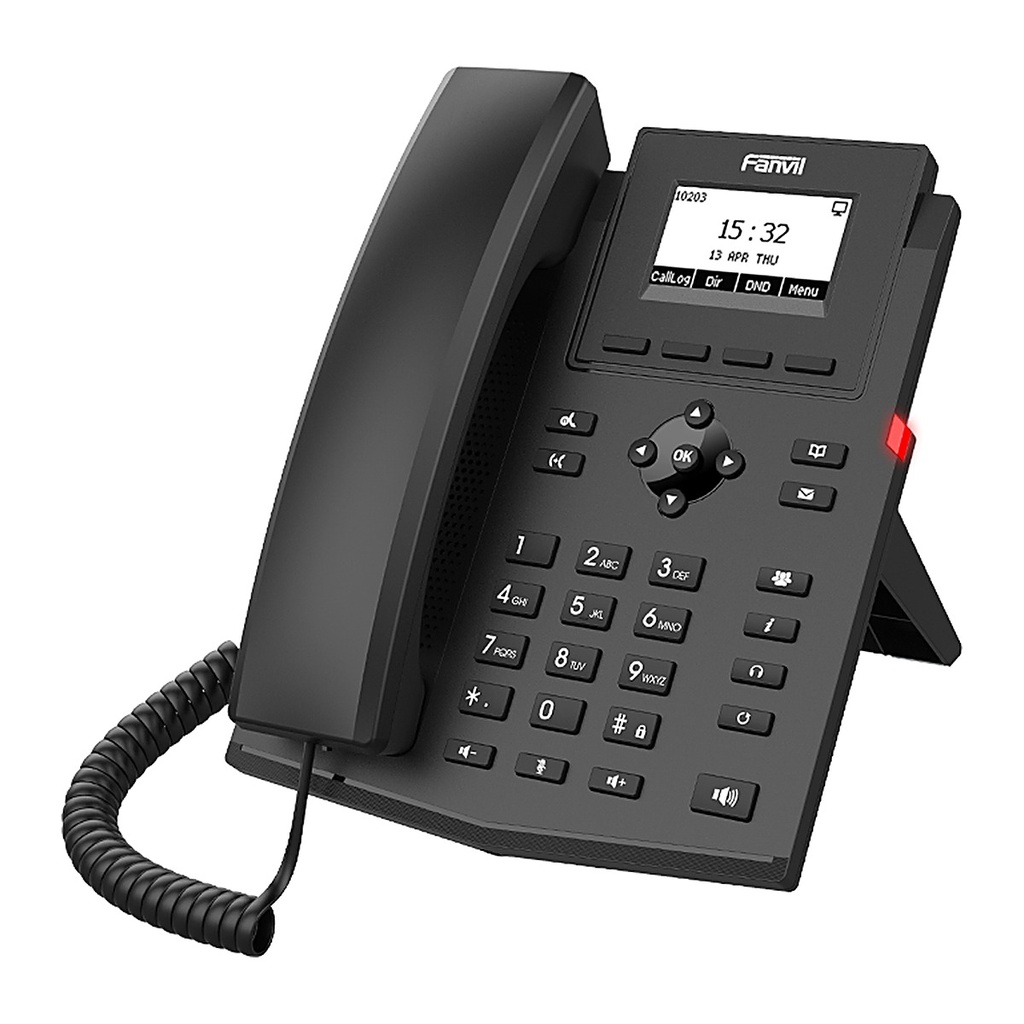
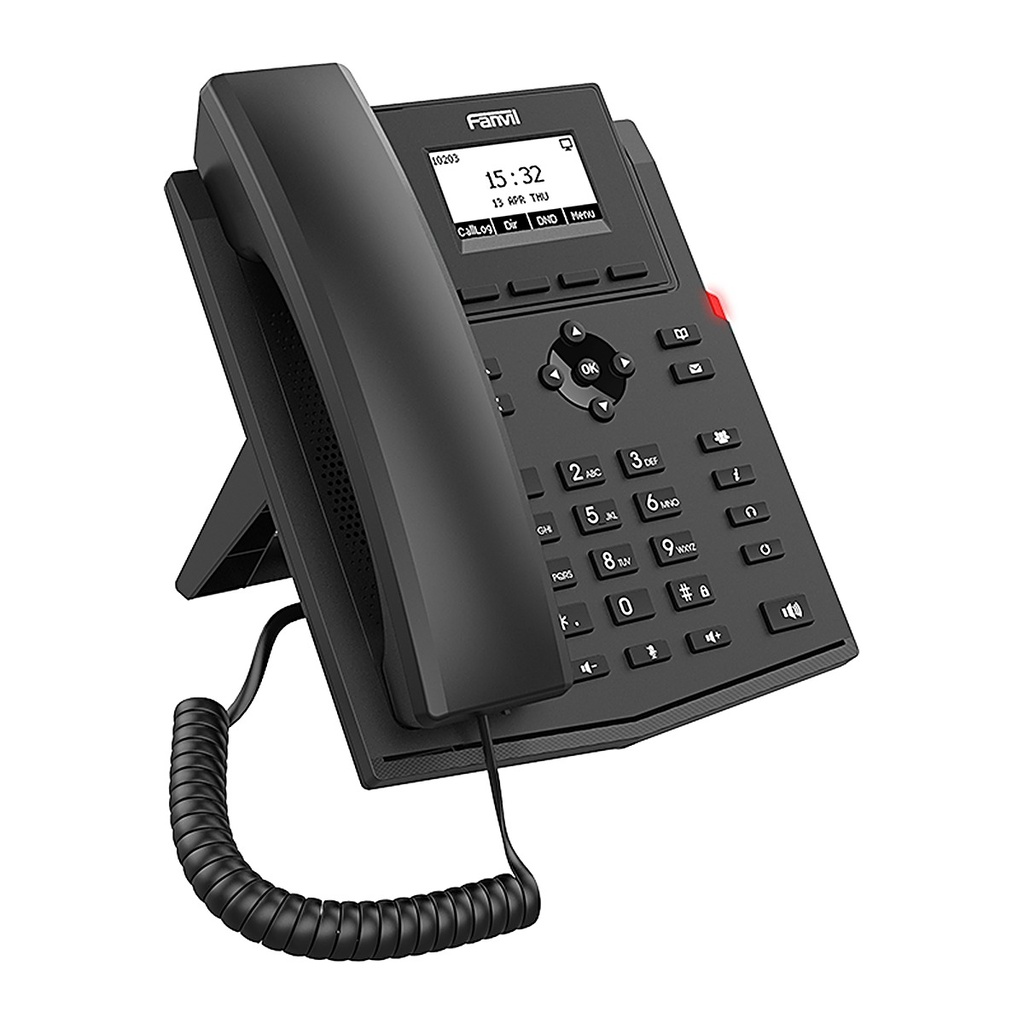
The Fanvil X301G is an entry-level Gigabit SIP phone for businesses that run modern Gigabit networks. Dual 10/100/1000 Mbps ports let the PC share the same network drop at full speed, and integrated PoE simplifies installation from a PoE switch. A backlit 2.3-inch display, 2 SIP lines and 6-way local audio conference make it a practical choice for offices, front desks, clinics and branch offices. HD voice with G.722 and Opus ensures clear conversations, while XML/LDAP phonebooks, EHS wireless headset support, VPN and auto-provisioning help IT teams roll it out quickly and manage it centrally.
Technical Specifications
General
| Model | X301G |
|---|
| Operating System | Linux |
|---|
| SIP Lines | 2 |
|---|
| Display | 2.3" 132x64 dot-matrix LCD, backlit |
|---|
| Keypad | 33 keys: 4 soft keys, 9 function keys, navigation, volume |
|---|
Phone Features
| Local Phonebook | 1000 entries |
|---|
| Remote Phonebook | XML/LDAP, 1000 entries |
|---|
| Call Logs | 600 (in/out/missed) |
|---|
| Audio Conference | 6-way |
|---|
| Call Features | Hold, transfer, forward, call waiting, DND, intercom, hot desking |
|---|
| XML Browser / Action URL | Yes |
|---|
Audio
| HD Voice | HD handset and HD speaker |
|---|
| Wideband Codecs | G.722, Opus |
|---|
| Narrowband Codecs | G.711a/u, G.723.1, G.726, G.729/A/B/AB, iLBC |
|---|
| Voice Processing | AEC, VAD, CNG, NR, AGC, PLC, adaptive jitter buffer |
|---|
| Headset | RJ9 headset port; EHS wireless headset (Poly/Jabra via EHS cable) |
|---|
Network
| Ethernet | 2 x 10/100/1000 Mbps (PC bridged) |
|---|
| Wi-Fi | No |
|---|
| IP Mode | IPv4 / IPv6 / dual stack |
|---|
| IP Configuration | Static / DHCP / PPPoE |
|---|
| VPN | L2TP / OpenVPN |
|---|
| Network Features | VLAN, QoS, LLDP, 802.1x |
|---|
| Protocols | SIP v1/v2, UDP/TCP/TLS, RTP/SRTP, STUN, TR-069 |
|---|
| Encryption | AES128 & AES256 |
|---|
Deployment & Management
| Auto-Provisioning | FTP/TFTP/HTTP/HTTPS, DHCP Opt66, SIP PnP, TR-069 |
|---|
| Management | Web portal, firmware upgrade, config export/import, syslog |
|---|
Power
| PoE | Yes, IEEE 802.3af |
|---|
| Power Adapter | Optional, 5V/0.6A (100-240VAC) |
|---|
| Power Consumption (PoE) | 1.25~1.86 W |
|---|
| Power Consumption (Adapter) | 0.8~1.29 W |
|---|
Physical
| Installation | Desktop stand (45°/50°), wall mount (optional accessory) |
|---|
| Color | Black |
|---|
| Dimensions (45° stand) | 169 x 201.1 x 177.4 mm |
|---|
| Working Temperature | 0~45℃ |
|---|
| Working Humidity | 10~95% |
|---|
| Package Contents | Phone, handset & cord, 1.5 m CAT5E cable, desktop stand |
|---|
Source: Fanvil official website and datasheet. Specifications are subject to change by the manufacturer.
![[X301G] Fanvil X301G Gigabit IP Phone, 2 SIP Lines, PoE, HD Voice](/web/image/product.image/1517/image_1024/%5BX301G%5D%20Fanvil%20X301G%20Gigabit%20IP%20Phone%2C%202%20SIP%20Lines%2C%20PoE%2C%20HD%20Voice?unique=dbcaf43)
![[X301G] Fanvil X301G Gigabit IP Phone, 2 SIP Lines, PoE, HD Voice](/web/image/product.image/1517/image_128/%5BX301G%5D%20Fanvil%20X301G%20Gigabit%20IP%20Phone%2C%202%20SIP%20Lines%2C%20PoE%2C%20HD%20Voice?unique=dbcaf43)