Skip to Content

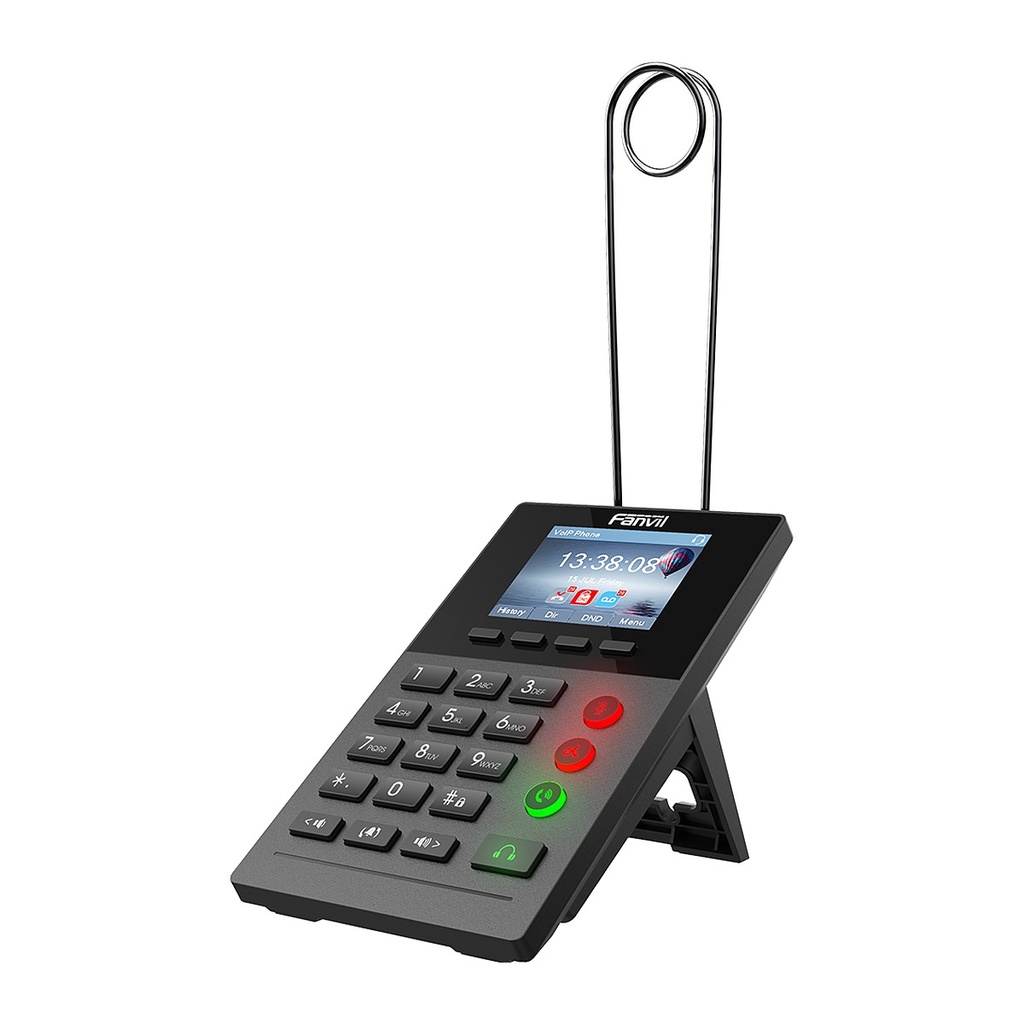
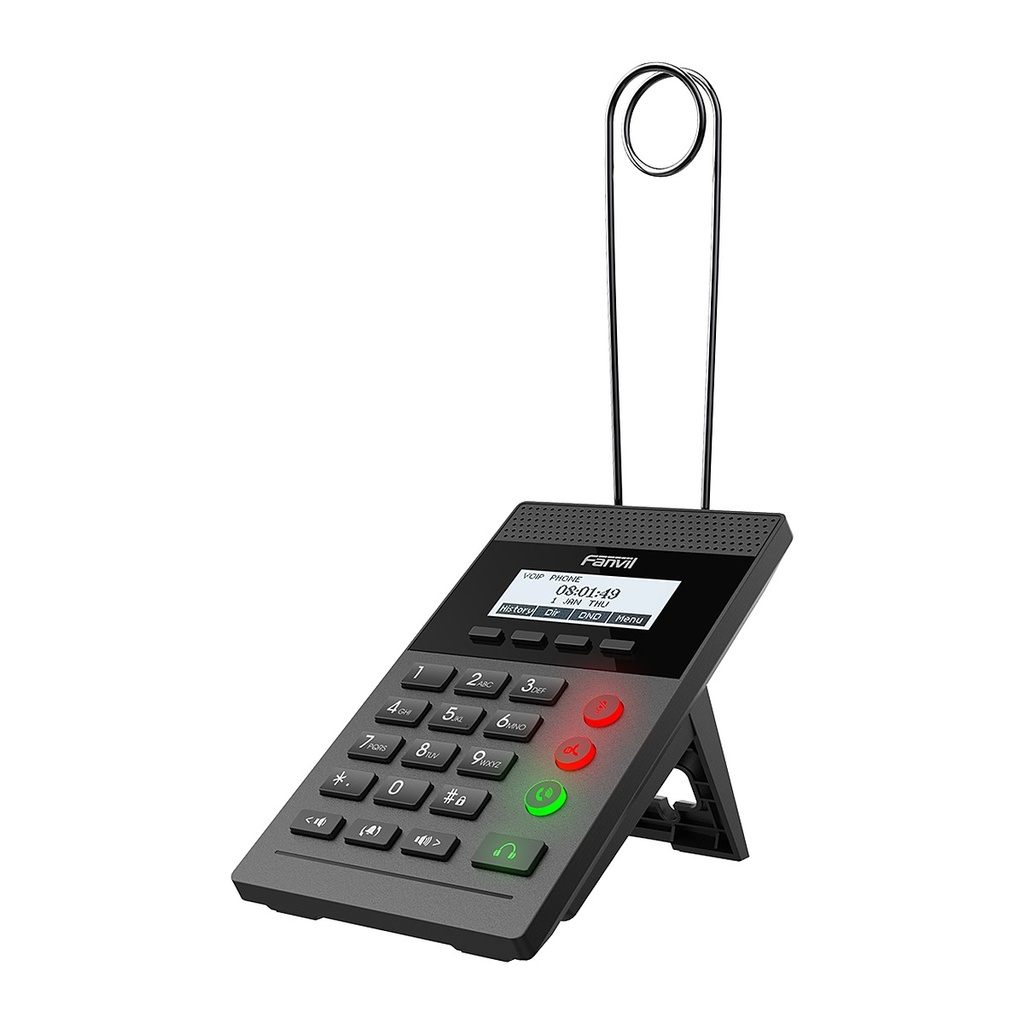
Fanvil X2P Call Center IP Phone, 2.8" Color Screen, PoE, Headset Ports

  • Professional IP phone designed specifically for call centers
  • 2.8-inch 320x240 color screen
  • 2 SIP lines with 3-way local conference
  • Call center headset ports: RJ9 and 3.5mm, plus RJ9 monitor earphone port
  • Answer/hang up with a foot pedal switch
  • EHS wireless headset support (Poly/Jabra via EHS cable)
  • LED function keys for Mute, Hold and Headset
  • Dual 10/100 Mbps ports with integrated PoE; LDAP/XML phonebook
Price
⃁ 205.33 ⃁ 205.33 ⃁ 256.66
(Tax excluded)
  • Delivery within 2–5 business days across Saudi Arabia
  • Warranty according to the manufacturer
  • Tax invoice with every order
  • Technical support before and after purchase

Not sure this model fits your setup? Read the buying guide

Overview of Fanvil X2P

The Fanvil X2P is a purpose-built call center IP phone designed to improve agent efficiency. It works in headset mode, with RJ9 and 3.5mm headset ports, an extra RJ9 port for a supervisor or monitor earphone, and EHS support for wireless headsets. Agents can answer and end calls with a foot pedal, while LED function keys give one-touch Mute, Hold and Headset control. A 2.8-inch color screen, 2 SIP lines, HD voice with G.722, SRTP/TLS security, VLAN/QoS and integrated PoE make it a compact, reliable choice for call centers, help desks, telesales teams and customer service counters.

Technical Specifications

General

ModelX2P
TypeCall center IP phone (headset mode)
SIP Lines2
Display2.8" 320x240 color screen
Keypad23 keys: 4 soft keys, 4 LED function keys, 12 digit keys
LED Function KeysMute, Hold, Auto Answer, Headset

Phone Features

Local Phonebook500 entries
Remote PhonebookXML/LDAP, 500 entries
Call Logs600 (in/out/missed)
Audio Conference3-way local
Foot PedalOff-hook/on-hook by pedal switch (3.5mm port)
RecordingVia server
Call FeaturesHold, transfer, forward, call waiting, DND, auto-answer, hot desking

Audio & Headset

HD VoiceYes
Wideband CodecG.722
Narrowband CodecsG.711a/u, G.723.1, G.726-32K, G.729AB
Voice ProcessingAEC, VAD, CNG, NR, PLC, jitter buffer up to 300ms
Headset PortsRJ9 headset + RJ9 monitor earphone; 3.5mm headset
EHS Wireless HeadsetYes (Poly/Jabra via EHS cable)

Network

Ethernet2 x 10/100 Mbps (PC bridged)
IP ConfigurationStatic / DHCP / PPPoE
VPNL2TP / OpenVPN
Network FeaturesVLAN, QoS, LLDP, 802.1x
ProtocolsSIP 2.0 over UDP/TCP/TLS, RTP/SRTP, STUN, TR-069
Auto-ProvisioningFTP/TFTP/HTTP/HTTPS, DHCP Opt66, SIP PnP, TR-069

Power

PoEYes, integrated
Power AdapterOptional, DC 5V/0.6A
Power ConsumptionIdle 0.9~1.6W, peak 1.6~2.5W

Physical

InstallationDesktop stand (fixed angle)
ColorBlack
Dimensions100.8 x 147 x 107.4 mm (without earphone bracket)
Working Temperature0~45℃
Working Humidity10~95%
Package ContentsPhone, earphone bracket, back rack, 1.5 m CAT5 cable

Source: Fanvil official website and datasheet. Specifications are subject to change by the manufacturer.

PRACTICAL ANSWERS

IP phone questions

How do I choose an IP phone for an employee?

Start with the person’s daily call workflow, required keys, headset use and desk connectivity. Check the exact model against the PBX and provisioning method rather than selecting only by screen size or appearance.

Does an IP phone need a separate power adapter?

Check the phone’s supported power options, what is included in the package and the capabilities of the connected switch. Confirm that the complete proposed arrangement can power every phone, not just a single test device.

Will my headset work with the new phone?

Compare the headset and phone model numbers, connector type and any required adapter or call-control support. Ask to test answering, ending and muting a call with the intended combination before equipping a team.

Can a phone be used by a remote employee?

Confirm the PBX’s supported remote deployment method and the employee’s network requirements. Plan secure provisioning and support responsibilities; do not expose administration interfaces or assume a phone can be moved without configuration.

How should I compare phone models for a reception desk?

List the extensions the receptionist handles, the required transfer workflow and any need for expansion keys or a headset. Evaluate the full workflow with the PBX, including the features actually licensed and supported.

What should I check before deploying many IP phones?

Test a small representative group first, then review network ports, power, provisioning, user labels and the rollback plan. Keep an inventory linking each physical device to its intended user or location.