Skip to Content

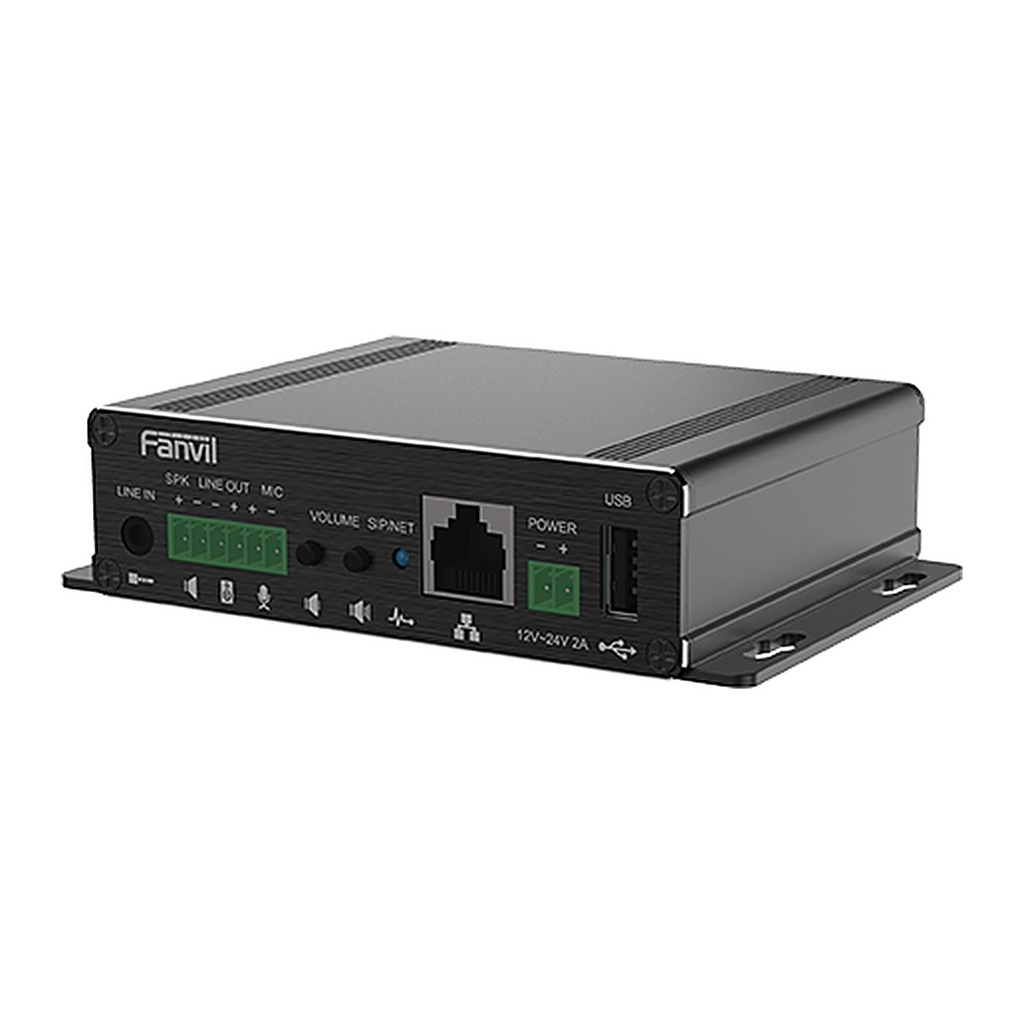
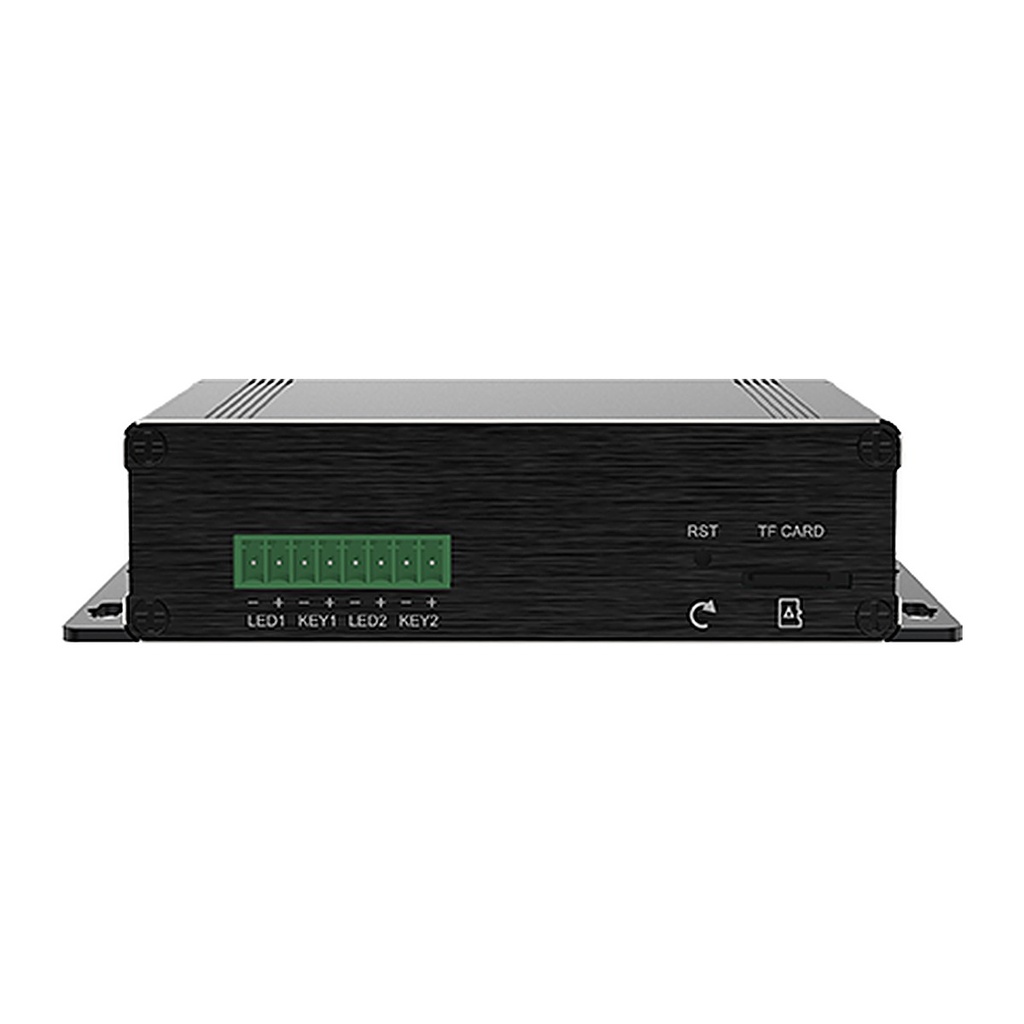
Fanvil PA3 SIP Paging Gateway, 30W Amplifier, USB & TF Card, PoE

  • Compact SIP paging gateway for public broadcasting, embeddable in other equipment
  • Mono power amplifier: max 4Ω/30W or 8Ω/15W, set by input voltage
  • USB 2.0 port and TF card slot for storage and offline audio broadcasting
  • Real-time and scheduled MP3 broadcasting with dynamic multicast
  • 3.5mm audio line-in, line-out for active speakers and MIC input
  • 2 DSS key ports for one-touch intercom buttons
  • 2 SIP lines, HD audio (G.722, Opus), standalone operation without server
  • PoE Class 4 or DC 12~24V power
Price
⃁ 480.00 ⃁ 480.00 ⃁ 600.00
(Tax excluded)
  • Delivery within 2–5 business days across Saudi Arabia
  • Warranty according to the manufacturer
  • Tax invoice with every order
  • Technical support before and after purchase

Not sure this model fits your setup? Read the buying guide

Overview of Fanvil PA3

The Fanvil PA3 is a SIP public announcement gateway designed to fit inside any installation, especially for public broadcasting. Using standard IP/RTP/RTSP protocols, it delivers HD audio for real-time and scheduled MP3 broadcasting and one-touch intercom when connected to external buttons, microphones and speakers. A mono amplifier up to 30W drives passive speakers directly, while line-out expands to active speakers, and the USB 2.0 port and TF card slot enable local storage and offline broadcasting. With 2 SIP lines, PoE Class 4 and web management, the PA3 is ideal for building custom broadcasting solutions for campuses, shopping malls, railway stations and buildings.

Technical Specifications

General

TypeSIP paging gateway
SIP Lines2
Standalone IntercomYes, no server needed
MP3 BroadcastingYes, real-time and scheduled
IP Camera LinkageYes
RecordingVia USB flash drive or server
FunctionsMulticast, auto-answer, speed dial, Action URL

Audio

Wideband CodecsG.722, Opus
Narrowband CodecsG.711A/U, G.729A/B, iLBC, G.723.1, G.726-32K
Hands-freeFull-duplex with AEC
DTMFIn-band, RFC2833, SIP INFO

Amplifier

Power AmplifierMax 4Ω/30W or 8Ω/15W
Output (4Ω)PoE/12V 10W, 18V 20W, 24V 30W

Interfaces

RJ451, PoE
Passive Speaker Port1
Line In1 × 3.5mm
Line Out1, max 1.2Vpp
MIC In1
DSS Key Ports2 (support LED)
USB1 × USB 2.0
TF Card Slot1
Keys2 volume keys, 1 reset key

Network

Ethernet10/100 Mbps
IP ModeIPv4 / IPv6 / Dual stack
IP SettingStatic / DHCP / PPPoE
VPNL2TP / OpenVPN
ProtocolsSIP v1/v2 over UDP/TCP/TLS, SRTP, STUN, TR-069
ProvisioningFTP/TFTP/HTTP/HTTPS, DHCP Opt66, SIP PnP, TR-069

Power

PoEYes, Class 4
DC Input12~24V / 2A
Consumption (PoE)1.85~10.8 W
Consumption (Adapter)1.1~8.5 W

Physical

InstallationDesktop / Wall-mounted
ColorBlack
Dimensions125×84.2×31 mm

Environment

Operating Temperature-20°C~50°C
Storage Temperature-30°C~60°C
Humidity10~95%

Source: Fanvil official website and datasheet. Specifications are subject to change by the manufacturer.

PRACTICAL ANSWERS

Network planning questions

Should I choose a router, a switch or an access point?

Start with the task: connecting networks, adding wired device ports, or providing wireless coverage. A single installation may need more than one device type. Share a site diagram and device list so the proposed roles and connections are clear.

Why is wireless coverage weak in some rooms?

Check the access point location, building layout, obstacles and the number of active devices. Measure coverage where people actually work before choosing extra equipment; changing the internet package alone may not address a coverage problem.

How do I select a switch for powered network devices?

List the devices to be connected and check each device’s power requirements against the switch’s per-port capability and total documented power budget. Also review uplink capacity and reserve ports for the expansion you actually expect.

Can the guest network be separated from business devices?

Define which devices and services guests should be able to reach, then check whether the router, switch and access points support the required separation. Test the resulting access rules; a different wireless network name alone is not the acceptance test.

What information helps plan a network upgrade?

Provide floor plans, current equipment models, internet connections, cabling details and peak device counts. Describe the applications that matter most and the observed problem, such as disconnections or slow local file access.

How should network performance be checked after installation?

Agree on the locations and representative workloads to test, then record wired and wireless results separately. Check connectivity, coverage and access rules during normal use, and retain a diagram and configuration backup for support.