Skip to Content
  • Delivery in 4–10 working days across Saudi Arabia
  • A tax invoice with every order
  • Technical support before and after you buy

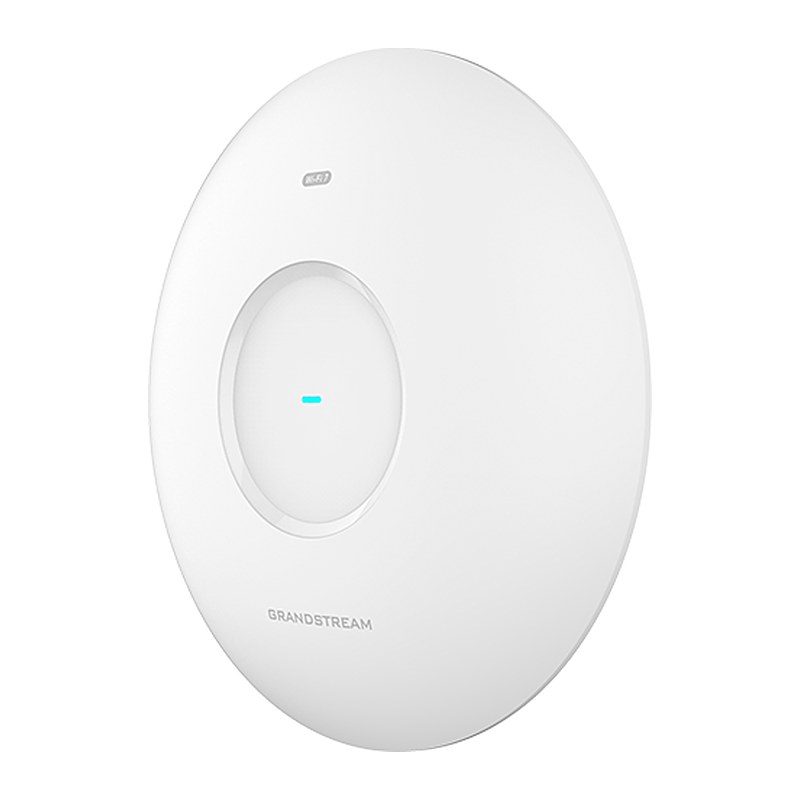
Grandstream GWN7674 BE21000 Tri-Band Wi-Fi 7 Access Point, 21Gbps, 10GbE + 2.5GbE, PoE++

Part number GWN7674
  • 21Gbps aggregate wireless throughput, 12.5Gbps aggregate wired throughput
  • Integrated Wi-Fi 7 & 4x4:4 MU-MIMO on 5G and 6G band and 2x2:2 MU-MIMO on 2.4G band with MLO, 4KQAM, MRU, Preamble Puncturing Technology
  • Up to 175-meter coverage range
  • Supports 768 concurrent Wi-Fi client devices
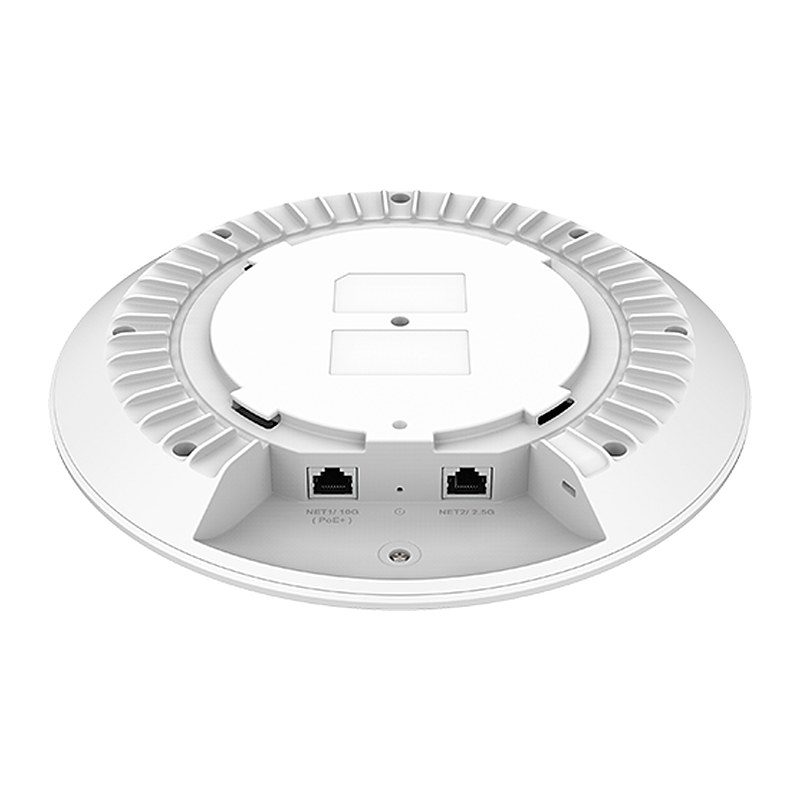
  • 1x 10G and 1x 2.5G Ethernet ports; BLE 5.3
  • Independent scanning radio monitors wireless quality and client signal status in real time
  • Self-power adaptation upon auto-detection of PoE++
  • Embedded controller manages up to 50 local GWN APs; GDMS Networking offers unlimited AP management, & GWN Manager offers on-premise software AP management
Price
⃁ 1,288.13 ⃁ 1,288.13 ⃁ 1,677.25 Save 23%
⃁ 1,288.13 ⃁ 1,677.25
(Tax excluded)
  • Delivery within 4–10 business days across Saudi Arabia
  • Warranty according to the manufacturer
  • Tax invoice with every order
  • Technical support before and after purchase

Not sure this model fits your setup? Read the buying guide
Overview of Grandstream GWN7674

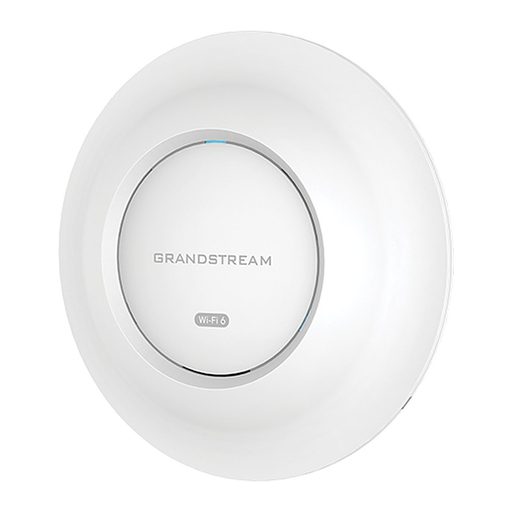
The Grandstream GWN7674 is a high-performance enterprise-grade tri-band Wi-Fi 7 access point delivering speeds up to 21Gbps (BE21000) for medium-sized businesses and large enterprises with medium-to-high user density. It offers 4x4:4 MU-MIMO on the 5G and 6G bands and 2x2:2 on 2.4G, with Enhanced OFDMA, Multi-RU, Preamble Puncturing, 4096-QAM and MLO. An independent scanning radio monitors the RF environment and client signals in real time. It supports 768 concurrent clients and up to 175 meters coverage, with a 10 Gigabit and a 2.5 Gigabit port, PoE++ (802.3bt) input and BLE 5.3. Managed via the embedded controller, GDMS Networking or GWN Manager, it suits large offices, universities, hotels, malls and hospitals.

Technical Specifications – Grandstream GWN7674

Hardware Specifications

Antenna12 single built-in antennas; 2.4GHz x 2, gain 4.5dBi; 5GHz x 4, gain 5.5dBi; 6GHz x 4, gain 6.0dBi; BT x 1, gain 4.5dBi; Scanning x 1, gain 2.4G: 4.5dBi / 5G: 5.5dBi
MIMO2.4GHz: 2x2:2, MU-MIMO; 5GHz: 4x4:4, MU-MIMO; 6GHz: 4x4:4, MU-MIMO
Frequency Bands2.4GHz Radio: 2400 - 2483.5 MHz; 5GHz Radio: 5150 - 5850 MHz; 6GHz Radio: 5945 - 7125 MHz
Channel Bandwidth2.4G: 20 and 40MHz; 5G: 20, 40, 80, 160 and 240MHz; 6G: 20, 40, 80, 160 and 320MHz
Wi-Fi Data Rates2.4G: IEEE 802.11be: Up to 688 Mbps; IEEE 802.11ax: 7.3Mbps to 574 Mbps; IEEE 802.11n: 6.5Mbps to 300Mbps; IEEE 802.11g: 6, 9, 12, 18, 24, 36, 48, 54 Mbps; IEEE 802.11b: 1, 2, 5.5, 11 Mbps. 5G: IEEE 802.11be: Up to 8647 Mbps; IEEE 802.11ax: 7.3 Mbps to 4804 Mbps; IEEE 802.11ac: 6.5 Mbps to 3466 Mbps; IEEE 802.11n: 6.5 Mbps to 1200 Mbps; IEEE 802.11a: 6, 9, 12, 18, 24, 36, 48, 54 Mbps. 6G: IEEE 802.11be: Up to 11529 Mbps; IEEE 802.11ax: 8 Mbps to 4804 Mbps
Maximum TX Power2.4G: 27dBm; 5G: 27dBm; 6G: 25dBm
Receiver Sensitivity2.4G: 802.11b: -96dBm @1Mbps, -88dBm @11Mbps; 802.11g: -93dBm @6Mbps, -75dBm @54Mbps; 802.11n 20MHz: -73dBm @MCS7; 802.11n 40MHz: -70dBm @MCS7; 802.11ax 20MHz: -65dBm @MCS11; 802.11ax 40MHz: -62dBm @MCS11; 802.11be 20MHz: -65dBm @MCS13; 802.11be 40MHz: -62dBm @MCS13. 5G: 802.11a: -92dBm @6Mbps, -74dBm @54Mbps; 802.11n 20MHz: -73dBm @MCS7; 802.11n 40MHz: -70dBm @MCS7; 802.11ac 20MHz: -70dBm @MCS8; 802.11ac 40MHz: -65dBm @MCS9; 802.11ac 80MHz: -62dBm @MCS9; 802.11ac 160MHz: -59dBm @MCS9; 802.11ax 20MHz: -64dBm @MCS11; 802.11ax 40MHz: -61dBm @MCS11; 802.11ax 80MHz: -59dBm @MCS11; 802.11ax 160MHz: -55dBm @MCS11; 802.11be 20MHz: -59dBm @MCS13; 802.11be 40MHz: -56dBm @MCS13; 802.11be 80MHz: -54dBm @MCS13; 802.11be 160MHz: -52dBm @MCS13. 6G: 802.11ax 20MHz: -62dBm @MCS11; 802.11ax 40MHz: -59dBm @MCS11; 802.11ax 80MHz: -57dBm @MCS11; 802.11ax 160MHz: -53dBm @MCS11; 802.11be 20MHz: -57dBm @MCS13; 802.11be 40MHz: -54dBm @MCS13; 802.11be 80MHz: -52dBm @MCS13; 802.11be 160MHz: -50dBm @MCS13; 802.11be 320MHz: -47dBm @MCS13
Coverage RangeUp to 175 meters (can vary based on environment)
BluetoothBLE 5.3
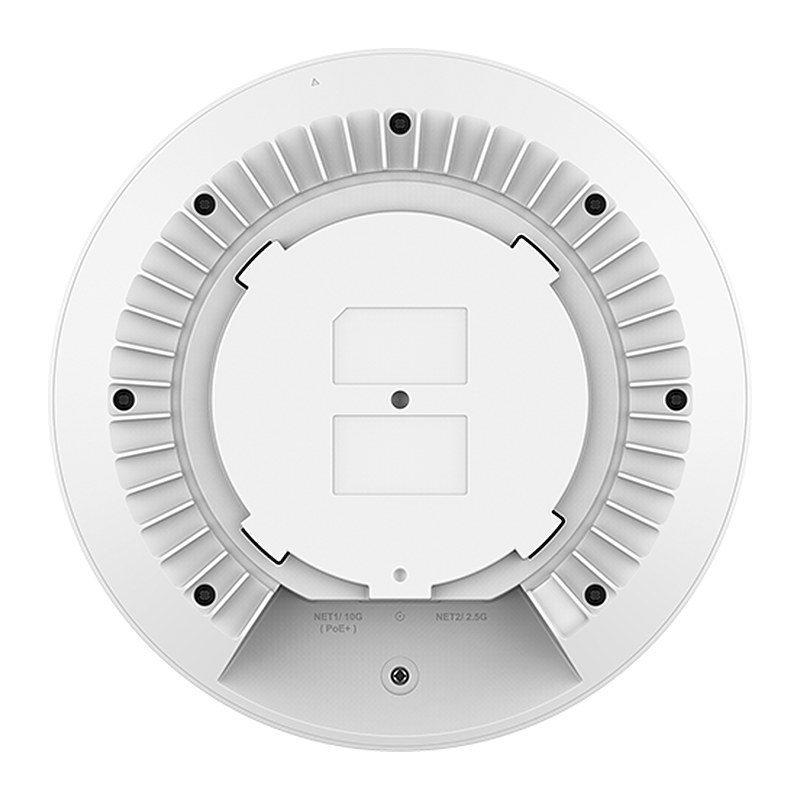
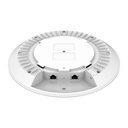
Network Ports1x 10G Ethernet RJ45 port, PoE input; 1x 2.5G Ethernet RJ45 port, PoE input
LEDs1x tri-color LED for device tracking and status indication
Auxiliary Ports1x Reset Pinhole, 1x Kensington Lock
PoE Input802.3bt
Maximum Power Consumption36W
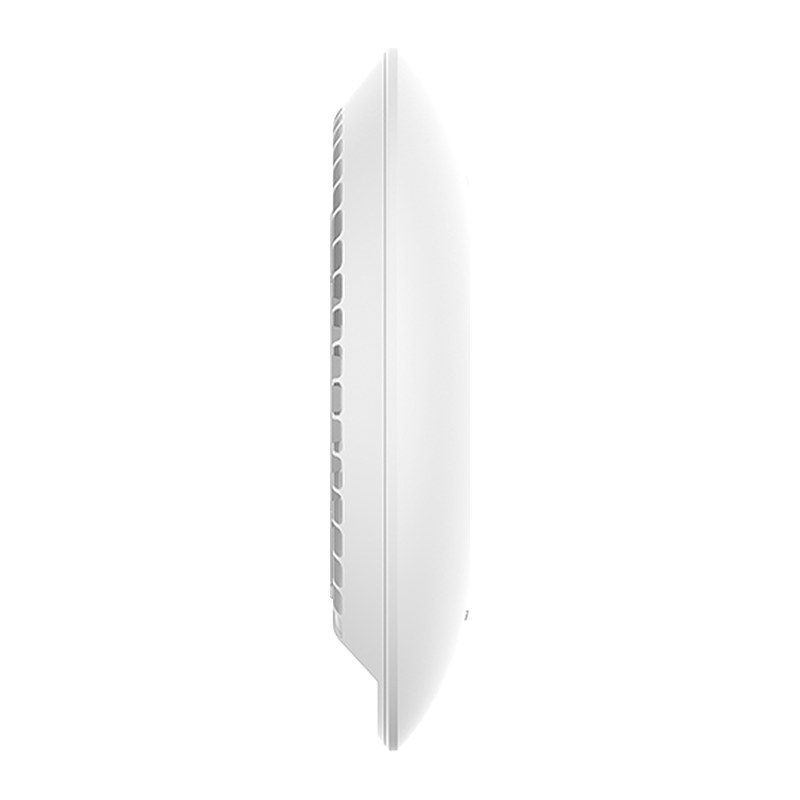
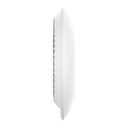
DimensionUnit: 250 x 250 x 54.5mm; Entire Package: 307 x 299.5 x 92 mm
WeightUnit: 1132.9g; Entire Package: 1648.6g
MountingIndoor wall mount or ceiling mount, kits included
Package ContentGWN7674 Wi-Fi 7 Wireless AP, Mounting Kits, Quick Start Guide
TemperatureOperation: 0°C to 45°C; Storage: -30°C to 60°C
Humidity10% to 90% Non-condensing
ComplianceFCC, CE, RCM, IC

Software Specifications

Wi-Fi StandardsIEEE 802.11a/b/g/n/ac/ax/be
SSIDs48 SSIDs total, 16 per radio (2.4GHz & 5GHz & 6GHz)
Concurrent Clients768
BasicsBeamforming, OFDMA, Multi-RU, Preamble puncturing, 4096-QAM, Multilink operation (MLO), Target wake time (TWT), Maximal Ratio Combining (MRC), Space-Time Block Coding (STBC), Low-density Parity-Check (LDPC), 802.11 Dynamic Frequency Selection (DFS), BSS coloring
Port AggregationMultiple uplink ports for port aggregation to increase uplink bandwidth
Bridge / ExtenderSupported / Supported
SSID HiddenRestrict access and improve wireless network security by SSID hiding
Multicast/Broadcast SuppressionMulticast/Broadcast enable optimization with ARP proxy
Multicast EnhancementConvert multicast data into unicast data for transmission
Bandwidth LimitingSupport SSID/Client/MAC/IP-based rate limiting
Band Steering/Client SteeringGuide client to the frequency band with more abundant spectrum resources
RRMDynamically assign radio power, channel
VPNL2TPv3
VLANInterface/SSID/MAC binding VLAN; Management VLAN; Dynamic VLAN
ScheduleSSID, LED, Reboot schedule
Mesh2.4G, 5G, 2.4G & 5G, 5G & 6G, 6G
Hotspot2.0Supported
Wireless Roaming802.11k, 802.11v, 802.11r; Layer 2 roaming
NetworkIPv4: Static or DHCP; IPv6: Static or DHCP; DHCP server/client/relay; NAT Pool; LLDP
User Authentication802.1x authentication; MAC authentication via RADIUS; PPSK with/without RADIUS; Captive Portal with radius/social login/vouchers/password/SAML SSO/active directory authentication
EncryptionOpen system, OSEN, WPA2-PSK (personal), WPA2-802.1x (enterprise), WPA3-SAE (personal), WPA3-802.1x (enterprise), WPA/WPA2, WPA2/WPA3; anti-hacking secure boot and critical data/control lockdown via digital signatures, unique security certificate and random default password per device
Forwarding SecurityMAC filtering, Client isolation, OS filtering, Inbound/outbound traffic rules
WIDSRogue AP detection and containment, ARP attack defense, ND attack defense
QoS802.11e/WMM, 802.1p, 802.1q, TOS
Management PlatformLocal Web: embedded controller can manage up to 50 local GWN APs; GDMS Networking: free cloud management platform for unlimited GWN APs; GWN Manager: premise-based software controller for up to 3,000 GWN APs; GWN APP
Management ProtocolTR-069, SNMP

Source: Grandstream official website and datasheet. Specifications are subject to change by the manufacturer.

PRACTICAL ANSWERS

Network planning questions

Should I choose a router, a switch or an access point?

Start with the task: connecting networks, adding wired device ports, or providing wireless coverage. A single installation may need more than one device type. Share a site diagram and device list so the proposed roles and connections are clear.

Why is wireless coverage weak in some rooms?

Check the access point location, building layout, obstacles and the number of active devices. Measure coverage where people actually work before choosing extra equipment; changing the internet package alone may not address a coverage problem.

How do I select a switch for powered network devices?

List the devices to be connected and check each device’s power requirements against the switch’s per-port capability and total documented power budget. Also review uplink capacity and reserve ports for the expansion you actually expect.

Can the guest network be separated from business devices?

Define which devices and services guests should be able to reach, then check whether the router, switch and access points support the required separation. Test the resulting access rules; a different wireless network name alone is not the acceptance test.

What information helps plan a network upgrade?

Provide floor plans, current equipment models, internet connections, cabling details and peak device counts. Describe the applications that matter most and the observed problem, such as disconnections or slow local file access.

How should network performance be checked after installation?

Agree on the locations and representative workloads to test, then record wired and wireless results separately. Check connectivity, coverage and access rules during normal use, and retain a diagram and configuration backup for support.