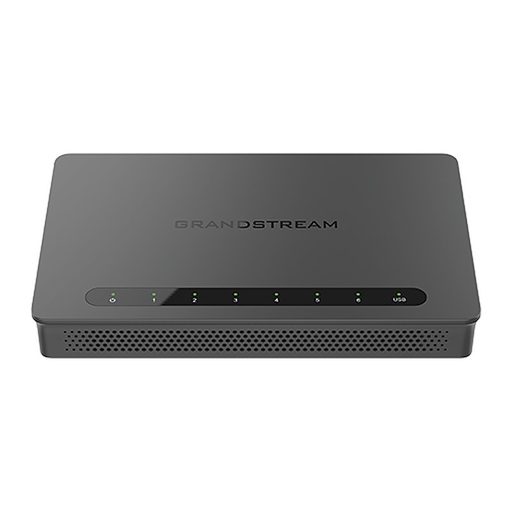
Overview of Grandstream GWN7003
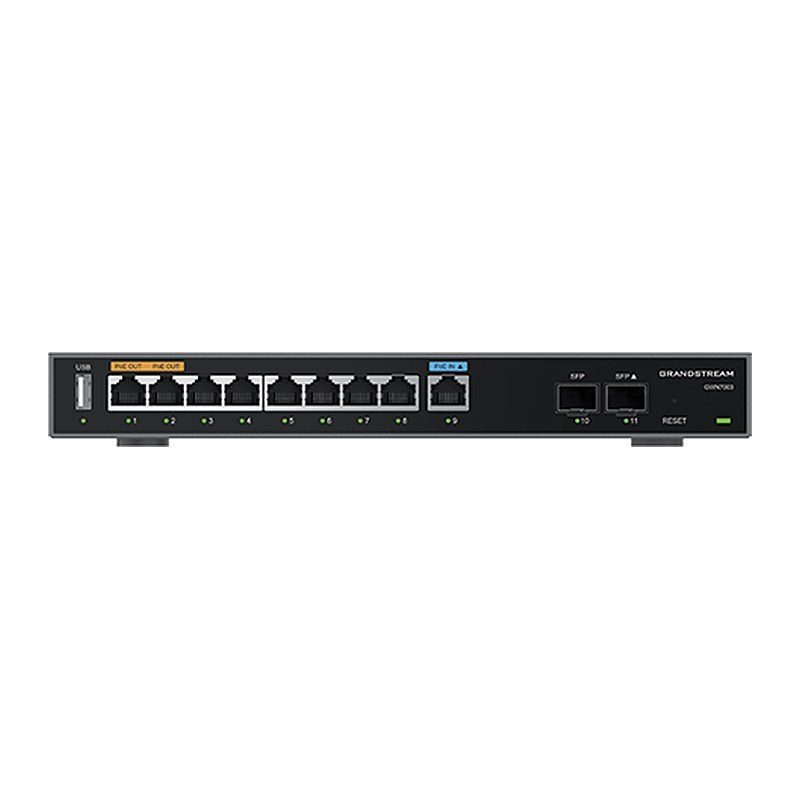
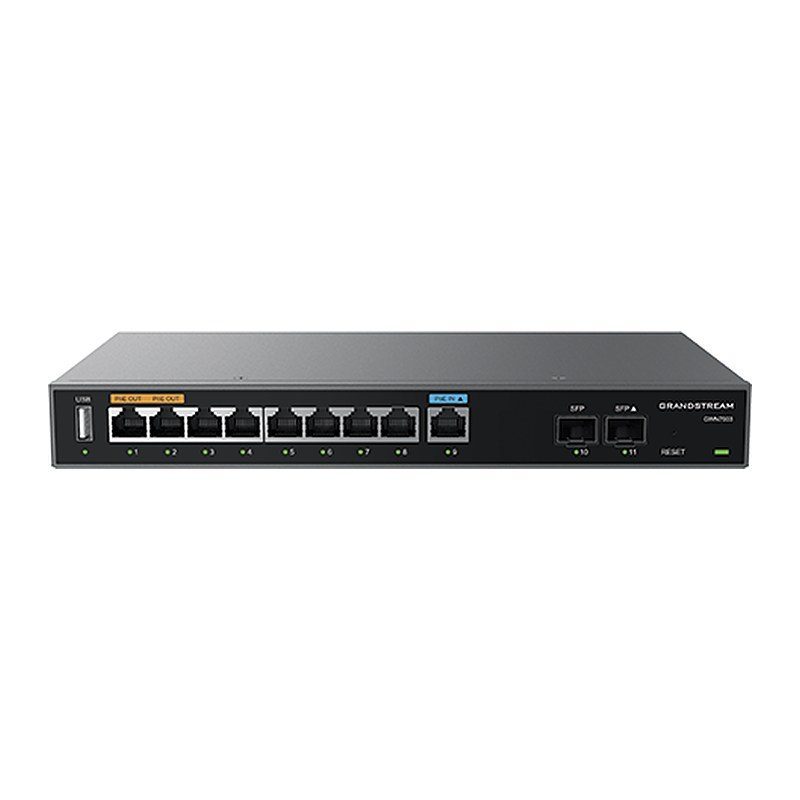
The Grandstream GWN7003 is the largest model of the GWN700x Multi-WAN Gigabit VPN router series, with a built-in firewall for building wired, wireless and VPN networks across one or many locations. It offers 9 Gigabit Ethernet ports and 2 x 2.5 Gigabit SFP ports, all WAN/LAN configurable, a PoE input and 2 PoE outputs, 512 MB RAM, 60K NAT sessions and up to 100 concurrent VPN tunnels. DPI, content filtering, load balancing and failover keep traffic secure and reliable. It supports desktop, wall or rack mounting and manages up to 150 GWN APs, ideal for multi-branch businesses, hotels, schools and hospitals.
Technical Specifications – Grandstream GWN7003
Hardware
| CPU | Dual ARM Cortex A53 1GHz |
|---|
| Memory and NAT Sessions | 512 MB RAM, 256 MB Flash, 60K NAT sessions |
|---|
| Network Ports | 2 x 2.5 Gigabit SFP ports and 9 x Gigabit Ethernet ports; all ports support WAN/LAN configuration |
|---|
Networking
Security & VPN
| IPsec VPN Throughput | 530 Mbps |
|---|
Hardware
| Auxiliary Ports | 1 x USB 2.0 port, 1 x Reset Pinhole |
|---|
| USB Port Specifications | Supports connections of 4G USB modems with power consumption not exceeding the maximum output for the corresponding hardware version: before V2.0A: 0.5 A, 2.5 W; V2.0A and later: 1 A, 5 W |
|---|
| Mounting | Desktop, wall-mount or rack-mount (rack-mount brackets included) |
|---|
| LEDs | 13 x single-color LEDs for device tracking and status indication |
|---|
Networking
| Connection Type | DHCP, Static IP, PPPoE, PPTP, L2TP |
|---|
| Network Protocols | IPv4, IPv6, IEEE802.1Q, IEEE 802.1p, IEEE802.1x, IEEE802.3, IEEE 802.3u, IEEE 802.3x, IEEE802.3ab |
|---|
| QoS | VLAN, TOS; supports multiple traffic classes, filtering by port, IP address, DSCP, and policing; App QoS; VoIP Prioritization |
|---|
Security & VPN
| Firewall | DDNS, Port Forwarding, DMZ, UPnP, Anti-DoS, Traffic Rules, NAT, ALG, TURN Service |
|---|
| Security | Application/protocol monitoring and traffic statistics; content filtering: supports application, URL, DNS, and web content filtering; safe search |
|---|
| VPN | IPsec VPN Client-to-Site / Site-to-Site; PPTP VPN Server / Client; L2TP Client-to-Site; OpenVPN Server / Client; WireGuard; IPSec Encryption: DES, 3DES, AES; IPSec Authentication: MD5, SHA-1, SHA2-256; IPSec Key Exchange: Main/Aggressive Mode, Pre-shared Key, DH Groups 1/2/5/14; IPSec Protocols: ESP; IPSec NAT Traversal; OpenVPN Encryption: AES, DES; OpenVPN Authentication: MD5, SHA-1, SHA2-256, SHA2-384, SHA2-512; OpenVPN Certificate: RSA; PPTP Encryption: MPPE 40-bit, 128-bit, IPSec; PPTP/L2TP Authentication: MS-CHAPv1/2 |
|---|
| Max Concurrent VPN Tunnels | Up to 100 tunnels |
|---|
Management
| Network Management | GWN7003 embedded controller can manage itself and up to 150 GWN APs; GDMS Networking offers a free cloud management platform for unlimited GWN routers and GWN APs; SSH for CLI; TR-069; SNMP v1/v2c/v3 |
|---|
PoE
| PoE Input | 1 x GbE RJ45 port, standard IEEE 802.3af/at |
|---|
| PoE Output | 2 x PoE out ports, Passive 48 V or IEEE802.3af |
|---|
| PoE Power Budget | 24 V DC, 1 A: 12.8 W (default for hardware before V2.0A); 24 V DC, 1.5 A: 24.8 W; 24 V DC, 2 A: 36 W (default for hardware V2.0A and later) |
|---|
Power & Physical
| Power Adapter | Universal power adapter included: Input 100–240 V AC, 50–60 Hz; Output for hardware before V2.0A: 24 V DC, 1 A (24 W); Output for hardware V2.0A and later: 24 V DC, 2 A (48 W) |
|---|
| Environmental | Operation: 0 °C to 40 °C (32 °F to 104 °F); Storage: -30 °C to 60 °C (-22 °F to 140 °F); Humidity: 10%–90%, non-condensing |
|---|
| Unit Dimensions | 260 mm x 149.35 mm x 35 mm (L x W x H) |
|---|
| Unit Weight | 1,096 g (2.42 lb) |
|---|
| Package Dimensions / Weight | 297 mm x 255.5 mm x 54 mm (L x W x H); 1,443 g (3.18 lb) |
|---|
| Package Content | GWN7003 Router, Universal Power Supply, Network Cable, Quick Installation Guide, 8 x Screws, Ground wire, 2 x Mounting brackets |
|---|
Compliance
| Compliance | FCC, CE, RCM, IC, UKCA |
|---|
Source: Grandstream official website and datasheet. Specifications are subject to change by the manufacturer.