Skip to Content
  • Delivery in 4–10 working days across Saudi Arabia
  • A tax invoice with every order
  • Technical support before and after you buy

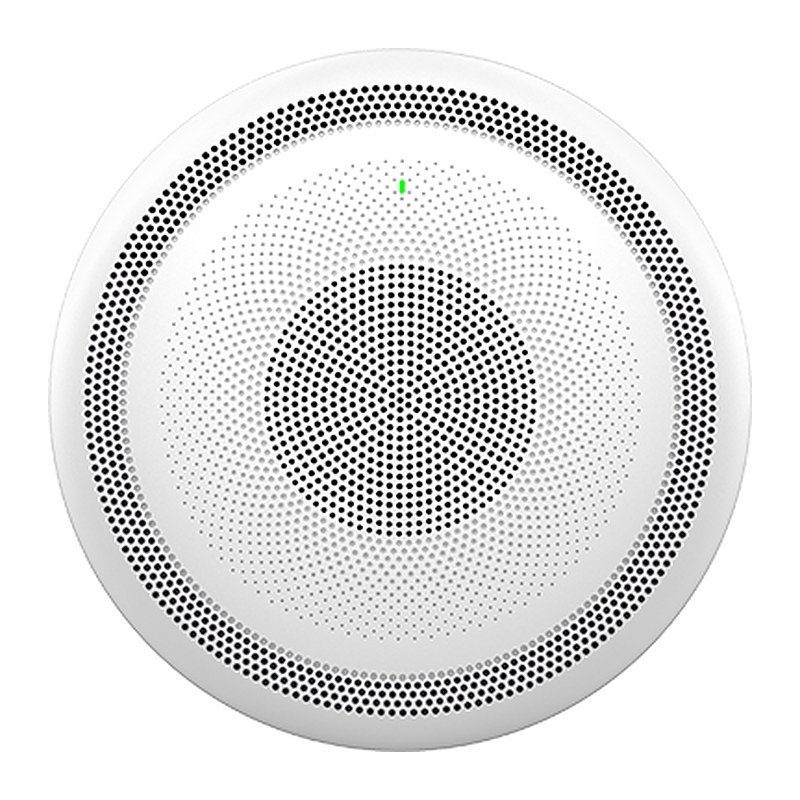
Grandstream GSC3516 SIP/Multicast Talk-Back Speaker, 15W HD, 4 Mics, Wi-Fi, Bluetooth, PoE

Part number GSC3516
  • Full-duplex speakerphone with HD acoustic chamber, advanced acoustic echo cancellation
  • 3 directional mics with MMAD & microphone beamforming array and 1 omnidirectional auxiliary microphone (4.2 meter pickup distance)
  • Full-band and wide-band audio codec support including Opus & G.722
  • Integrated dual-band 802.11 a/b/g/n/ac Wi-Fi and Bluetooth
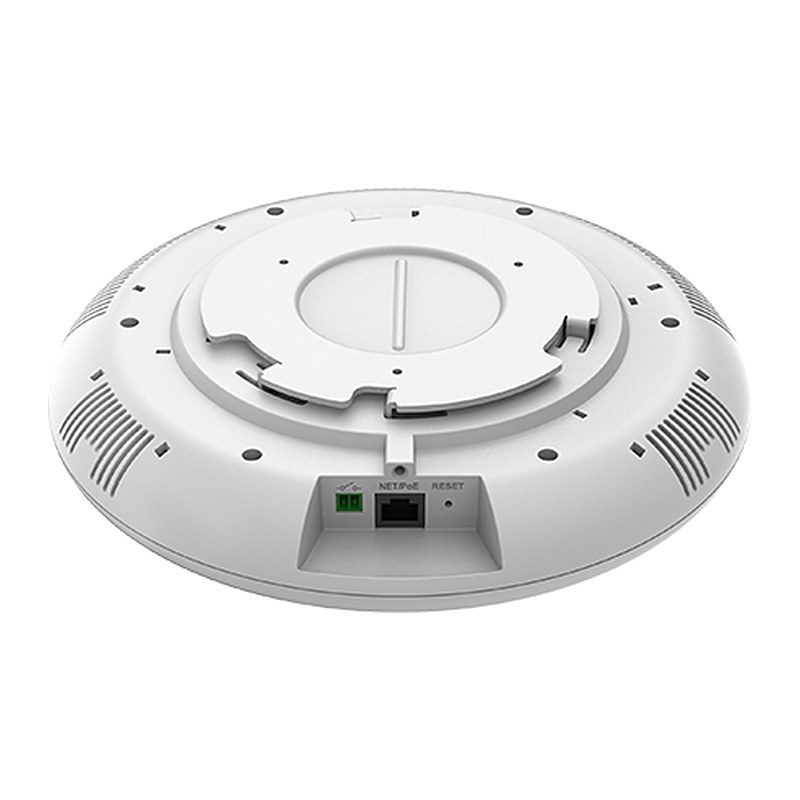
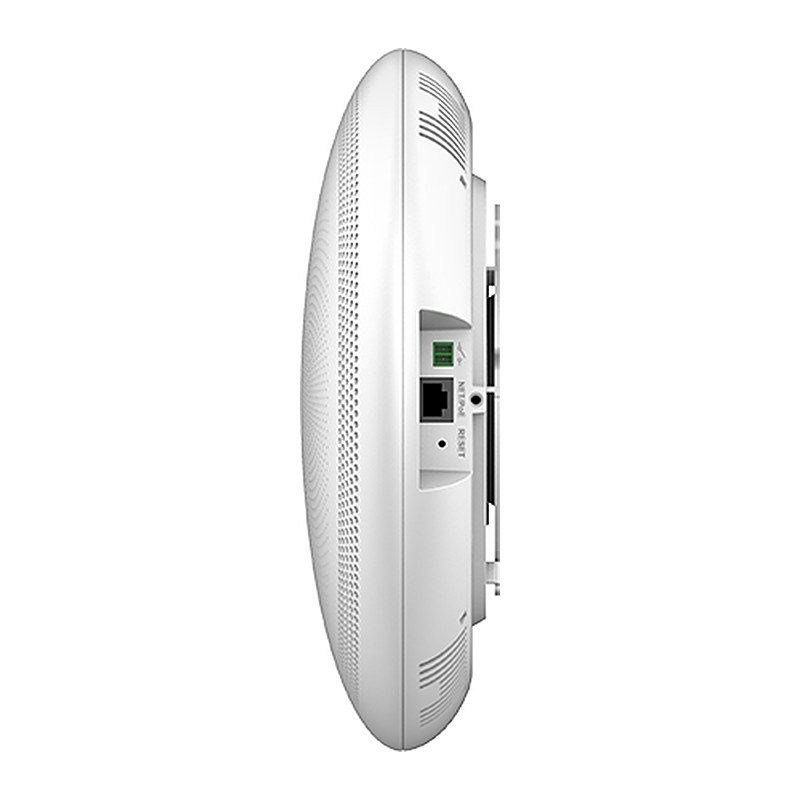
  • One 10/100Mbps network port with PoE/PoE+
  • 2-pin multi-purpose input to support peripherals including call buttons
  • SIP paging, multicast paging, group paging, PTT and call-waiting with priority override
Price
⃁ 750.94 ⃁ 750.94 ⃁ 977.76 Save 23%
⃁ 750.94 ⃁ 977.76
(Tax excluded)
  • Delivery within 4–10 business days across Saudi Arabia
  • Warranty according to the manufacturer
  • Tax invoice with every order
  • Technical support before and after purchase

Not sure this model fits your setup? Read the buying guide
Overview of Grandstream GSC3516

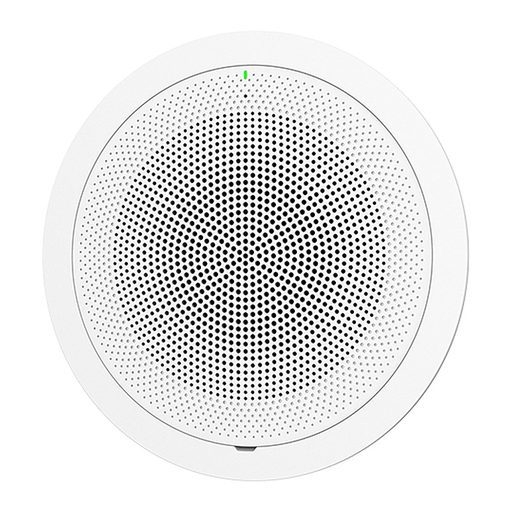
The Grandstream GSC3516 is a SIP/Multicast talk-back speaker that allows offices, schools, hospitals, apartments and more to build powerful voice intercom solutions. It offers 2-way voice with a high-fidelity 15W HD speaker, 3 directional microphones with Multichannel Microphone Array Design (MMAD) and 1 omnidirectional auxiliary microphone with a 4.2 meter pickup distance. Integrated dual-band Wi-Fi, Bluetooth, advanced acoustic echo cancellation and built-in whitelists, blacklists and greylists add flexibility. Paired with Grandstream IP phones and GDS facility access products, it suits reception areas, classrooms, clinics, hotel corridors and offices that need two-way announcements and intercom.

Technical Specifications – Grandstream GSC3516

Software

Protocols/StandardsSIP RFC3261, TCP/IP/UDP, RTP/RTCP, RTCP-XR, HTTP/HTTPS, ARP, ICMP, DNS (A record, SRV, NAPTR), DHCP, PPPoE, SSH, TFTP, NTP, STUN, LLDP-MED, SIMPLE, LDAP, TR-069, 802.1x, TLS, SRTP, IPv6, OpenVPN
Operating SystemLinux
Voice Codecs and CapabilitiesG.711µ/a, G.722 (wide-band), G.726-32, iLBC, Opus, G.723, G.729A/B, in-band and out-of-band DTMF (In audio, RFC2833, SIP INFO), VAD, CNG, AEC, PLC, AJB, AGC, ANS
Telephony FeaturesSIP Paging, Multicast Paging, Group Paging, PTT, Call-waiting with priority override, Bluetooth SCO call
QoSLayer 2 QoS (802.1Q, 802.1p) and Layer 3 (ToS, DiffServ, MPLS) QoS
SecurityUser and administrator level passwords, MD5 and MD5-sess based authentication, 256-bit AES encrypted configuration file, TLS, SRTP, HTTPS, 802.1x media access control, secure boot
Multi-languageEnglish, German, French, Spanish, Portuguese, Russian, and Chinese
Upgrade/ProvisioningFirmware upgrade via TFTP / HTTP / HTTPS or local HTTP upload, mass provisioning using GDMS/TR069 or AES encrypted XML configuration file

Hardware

Network InterfacesOne 10/100 Mbps port with integrated PoE/PoE+
BluetoothYes, integrated. Bluetooth 2.1+Enhanced Data Rate (EDR)+ BT5.0
Wi-FiYes, dual-band 2.4 & 5GHz with 802.11 a/b/g/n/ac
Auxiliary PortOne 2-pin multi-purpose input port, Reset
HD AudioYes, HD speakerphone with support for full band audio with 48KHz voice sampling frequency
Speaker15W high-fidelity HD speaker; Frequency: 110Hz-20000 Hz; Sensitivity: Up to 90 dBA at 1W power at 0.5 meter
Microphone3 directional microphones with beam-forming capability and 1 omnidirectional auxiliary microphone that offer a 4.2 meter pickup distance
Power & Green Energy EfficiencyIntegrated PoE 802.3af Class 3, PoE+ 802.3at Class 4

General

Temperature and HumidityOperation: 0°C to 45°C; Storage: -10°C to 60°C; Humidity: 10% to 90% Non-condensing
Package ContentGSC3516 SIP/Multicast Talk-Back Speaker, mounting kits, quick installation guide
Dimensions257mm (diameter) x 68.5mm (depth)
WeightUnit Weight: 0.92kg; Box Weight: 1.75kg
ComplianceFCC, IC, CE, UKCA, RCM

Source: Grandstream official website and datasheet. Specifications are subject to change by the manufacturer.

PRACTICAL ANSWERS

Network planning questions

Should I choose a router, a switch or an access point?

Start with the task: connecting networks, adding wired device ports, or providing wireless coverage. A single installation may need more than one device type. Share a site diagram and device list so the proposed roles and connections are clear.

Why is wireless coverage weak in some rooms?

Check the access point location, building layout, obstacles and the number of active devices. Measure coverage where people actually work before choosing extra equipment; changing the internet package alone may not address a coverage problem.

How do I select a switch for powered network devices?

List the devices to be connected and check each device’s power requirements against the switch’s per-port capability and total documented power budget. Also review uplink capacity and reserve ports for the expansion you actually expect.

Can the guest network be separated from business devices?

Define which devices and services guests should be able to reach, then check whether the router, switch and access points support the required separation. Test the resulting access rules; a different wireless network name alone is not the acceptance test.

What information helps plan a network upgrade?

Provide floor plans, current equipment models, internet connections, cabling details and peak device counts. Describe the applications that matter most and the observed problem, such as disconnections or slow local file access.

How should network performance be checked after installation?

Agree on the locations and representative workloads to test, then record wired and wireless results separately. Check connectivity, coverage and access rules during normal use, and retain a diagram and configuration backup for support.