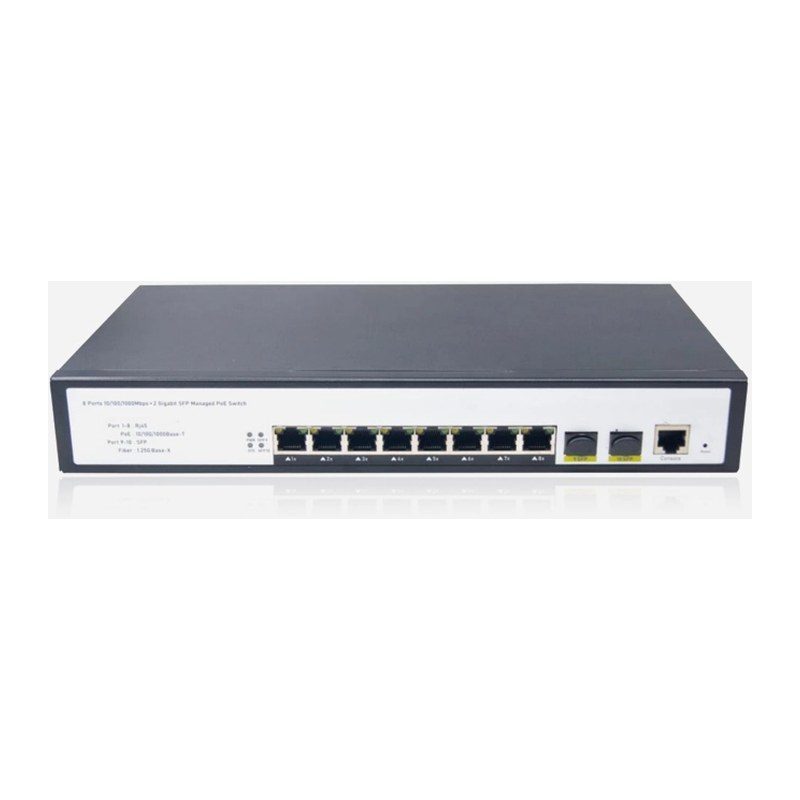
| Downstream Facing Port | 8 10/100/1000Base-TX Ethernet ports |
|---|
| Upstream Facing Port | 2 1.25G SFP slots |
|---|
| Management Port | 1 Console port |
|---|
| PoE Port | 8 PoE+-powered ports (ports 1-8), with a transmission distance of 100m. |
|---|
| PoE Standard | Support IEEE802.3at power supply standard; compatible with IEEE802.3af power supply standard. |
|---|
| Switching Capacity | 128Gbps |
|---|
| Forwarding Rate | 42Mpps |
|---|
| MAC Address Table | Support 8K MAC address table, dynamic and static address table. Support MAC address table automatic learning and aging, two-way learning. |
|---|
| Protocol Standards | IEEE 802.3i 10Base-TX; IEEE 802.3u 100Base-TX; IEEE 802.3ab/z 1000Base-TX; IEEE 802.3x Flow Control; IEEE 802.3af DTE Power via MDI; IEEE 802.3at DTE Power via MDI; ANSI/IEEE802.3N-Wa; IEC61000-4-2(ESD)15KV(air), 8KV(contanc). |
|---|
| VLAN | Support up to 4096 VLANs; Support port-based VLAN; Support 802.1Q standard-compliant VLAN; Support MAC VLAN; Support Protocol VLAN. |
|---|
| Spanning Tree | Support STP spanning tree protocol; Support RSTP rapid spanning tree protocol; Support MSTP multiple spanning tree protocol. |
|---|
| Port Aggregation | Support static aggregation and dynamic aggregation. |
|---|
| Port Mirroring | Support many-to-one port mirroring, with no limit on the number of mirroring source ports. |
|---|
| Loop Protection | Support loop detection/loop avoidance |
|---|
| Port Flow Control | Support half-duplex backpressure-based control; Support full duplex PAUSE frame-based control. |
|---|
| Port Speed Limit | Support port-based input/output bandwidth management. |
|---|
| Multicast Control | Support IGMP Snooping; Support MVR (Multicast VLAN Registration) function; Support MLD Snooping (Multicast Listener Discovery Snooping). |
|---|
| DHCP | Support DHCP Client; support DHCP Server; support DHCP Snooping; support DHCP Relay. |
|---|
| Storm Suppression | Supports suppression of broadcast, multicast, unicast, etc. |
|---|
| PoE Control | POE on and off; POE energy-saving mode; POE output control ; POE power consumption allocation; POE timing. |
|---|
| Lightning Protection | Meet IEC61000-4-2(ESD)±15KV(air), ±8KV(contanc) and can withstand 8/20us 24A (12A) energy. |
|---|
| System Maintenance | Support configuration file upload/download; support upgrade package upload; support WEB reset. Support system log function; support Ping. |
|---|
| Network Management | Support WEB interface management (support http and https protocols); support CLI interface management; support Telnet remote management. Support SSH 2.0; support SNMP network management; support RMON; support LLDP. |
|---|
| PoE Total Power | 120W |
|---|
| Environmental Requirements | Long-term operating temperature: -10~55°C; Long-term relative operating humidity: 10%~90% (no condensation). |
|---|
| AC Power | Rated voltage range: AC 100~240V 50/60Hz; Maximum voltage range: AC 90~264V 50/60Hz. |
|---|
| Overall Dimensions (L×W×H) | 270×180×44.5 mm |
|---|
| Net Weight | 1.3 kg |
|---|