Skip to Content

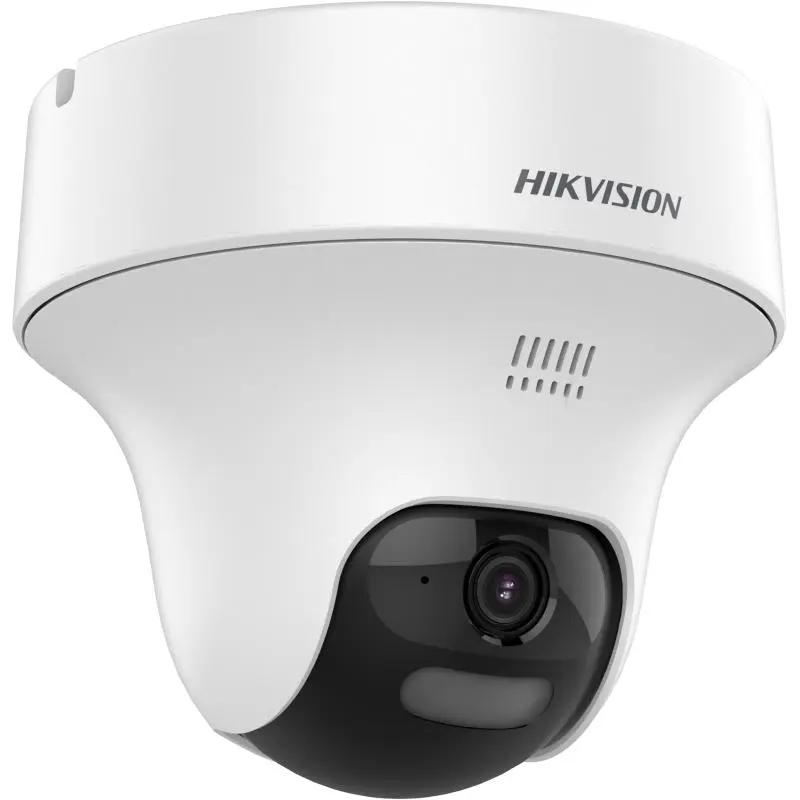
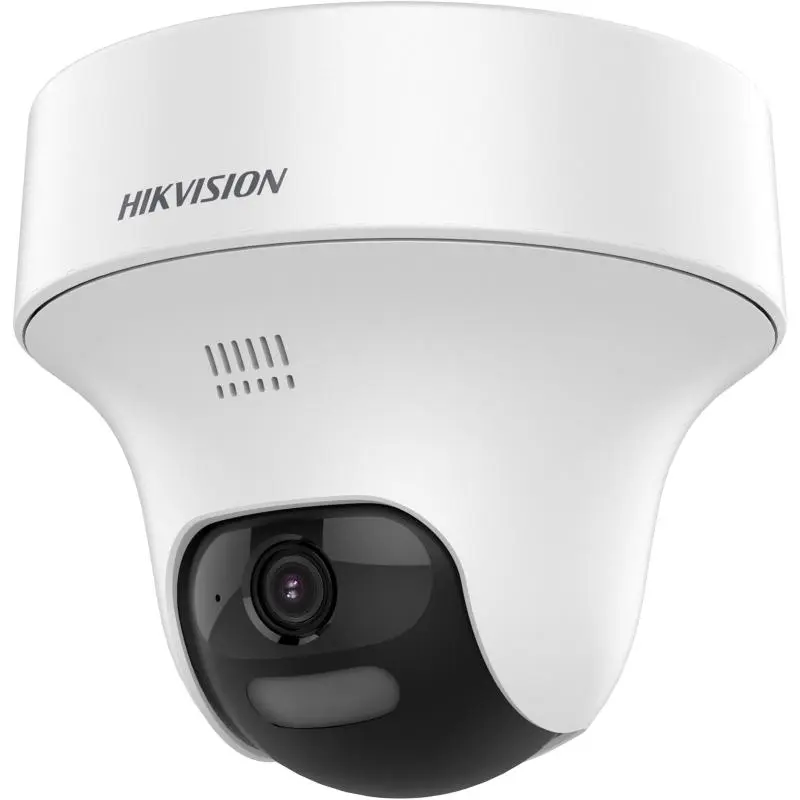
Hikvision DS-2CE70K0T-PTLXTS 3K Two-Way Audio & Siren PT Turret Camera, 2.8mm, Strobe Light

  • High quality imaging with 3K, 2960 × 1665 resolution
  • 2.8 mm, 3.6 mm fixed focal lens
  • Up to 20 m white light and 25 m IR distance for bright night imaging
  • Smart-Hybrid Light, optimize your security with flexible lighting options
  • Active strobe light and audio alarm
  • High quality audio with audio over coaxial cable, built-in mic, and built-in speaker
  • Provide real-time communication via built-in two-way audio

Price
⃁ 172.00 ⃁ 172.00 ⃁ 215.00
(Tax excluded)
  • Delivery within 2–5 business days across Saudi Arabia
  • Warranty according to the manufacturer
  • Tax invoice with every order
  • Technical support before and after purchase

Not sure this model fits your setup? Read the buying guide

Technical Specifications – DS-2CE70K0T-PTLXTS (2.8mm)

Camera

Image Sensor3K CMOS
Max. Resolution2960 (H) × 1665 (V)
Min. Illumination0.01 Lux @ (F1.6, AGC ON), 0 Lux with IR
Shutter TimePAL: 1/12.5 s to 1/50,000 s,NTSC: 1/15 s to 1/50,000 s
Day & NightICR
Angle AdjustmentPan: 0° to 350°,Tilt: 0° to 100°
Signal SystemPAL/NTSC

Lens

Lens Type2.8 mm, 3.6 mm fixed lens
Focal Length & FOV2.8 mm, horizontal FOV: 105°, vertical FOV: 62°, diagonal FOV: 131°; 3.6 mm, horizontal FOV: 80°, vertical FOV: 48°, diagonal FOV: 112°
Lens MountM12

Microphone

Pickup DistanceIn a radius of up to 5 m
Amount1

Speaker

Rated Power2 W
Speaker RangeIn a radius of up to 5 m

Illuminator

Supplement Light TypeSmart,IR,White Light
Supplement Light RangeIR: Up to 25 m,White Light: Up to 20 m

Image

Image SettingsAnti-banding, Brightness, Sharpness, Smart IR
Frame RateTVI: 3K @10 fps/12.5 fps/20 fps/25 fps, 4 MP @25 fps/30 fps, 1080P @25 fps/30 fps
Day/Night ModeAuto/Color
Wide Dynamic Range (WDR)Digital WDR
Image EnhancementDWDR, BLC, HLC, Global, HLS
Noise Reduction2D DNR
White BalanceAuto, Manual

Audio

Audio FunctionEcho Cancellation, AI Noise Reduction, Automatic Gain Control

Interface

Video Output1 HD analog output
AlarmFlashing Light Alarm (Red & Blue)

General

Power12 VDC ± 25%, max. 11.9 W, *You are recommended to use one power adapter to supply the power for one camera. If a high-impedance cable is used (such as the 18 m extension cable in the kit package), an 18 VDC adapter is required.
MaterialPlastic
DimensionØ123.7 mm × 110.8 mm (4.87" × 4.36")
WeightApprox. 345 g (0.76 lb.)
Operating Condition-40 °C to 60 °C (-40 °F to 140 °F). Humidity 90% or less (non-condensing)

Source: Hikvision official website. Specifications are subject to change by the manufacturer.

PRACTICAL ANSWERS

Camera and recording questions

How do I choose a camera for an entrance?

Describe the entrance width, mounting height, distance to the subject and available lighting. Decide whether you need an overview or identifiable detail, then compare the exact lens and image specifications of the proposed model.

Will a new camera work with my existing recorder?

Check the camera and recorder model numbers, connection type, supported video formats and recording limits together. Do not rely on brand names alone; ask for confirmation against both devices’ documentation before ordering.

How much recording storage will I need?

Prepare the number of cameras, desired retention period, recording schedule and proposed image settings. Ask for a storage estimate based on these inputs and an allowance for variation; a disk capacity alone does not guarantee a fixed number of days.

What should I check for outdoor camera installation?

Review the model’s documented environmental rating and operating conditions, then plan sheltered connections, suitable cable routes and a serviceable mounting point. Installation details should be confirmed for the actual location, not inferred from the camera’s appearance.

Can I view the cameras from a phone?

Check which app and remote-access method the model supports, whether an account or subscription is required, and the internet requirements at the site. Plan individual user access and secure account settings rather than sharing an administrator password.

What should be tested when a camera system is handed over?

Review the intended views, playback and export, date and time, user permissions and any agreed remote access. Request the equipment list and configuration handover, and record outstanding issues before accepting the installation.