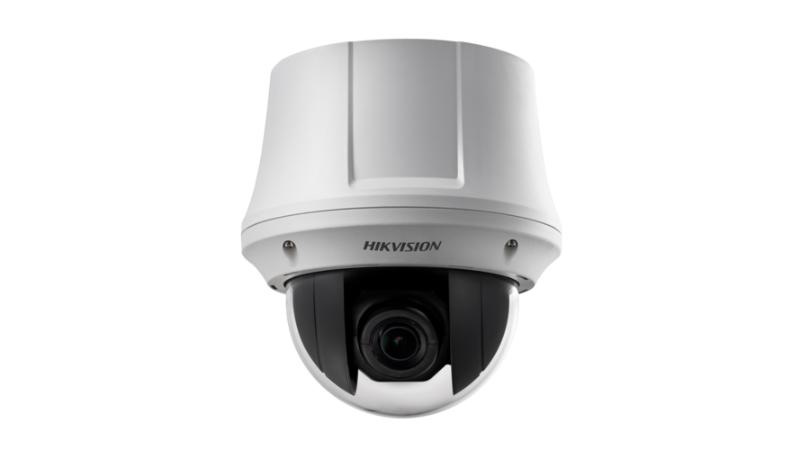
Technical Specifications – DS-2AE4215T-D3
Camera
| Image Sensor | 1/2.8" Progressive Scan CMOS |
|---|
| Max. Resolution | 1920 × 1080 |
|---|
| Min. Illumination | Color: 0.005 Lux @(F1.6, AGC ON) B/W: 0.001 Lux @(F1.6, AGC ON) |
|---|
| Shutter Speed | PAL: 1/1 s to 1/10,000 s NTSC: 1/1 s to 1/10,000 s |
|---|
| Day & Night | IR cut filter |
|---|
| Zoom | 15 × optical, 16 × digital |
|---|
Lens
| Focal Length | 5 mm to 75 mm, 15 × optical |
|---|
| FOV | Horizontal FOV: 53.8° to 4.0° (wide to tele) Vertical FOV: 31.9° to 2.3° (wide to tele) Diagonal FOV: 60.4° to 4.6° (wide to tele) |
|---|
| Focus | Auto, semi-auto, manual |
|---|
| Aperture | F1.6 to F3.5 |
|---|
| Zoom Speed | Approx. 2.4 s (optical, wide to tele) |
|---|
PTZ
| Movement Range (Pan) | 360° endless |
|---|
| Movement Range (Tilt) | -5° to 90° (auto flip) |
|---|
| Pan Speed | Pan manual speed: 0.1° to 100°/s Pan preset speed: 100°/s |
|---|
| Tilt Speed | Tilt manual speed: 0.1° to 80°/s Tilt preset speed: 80°/s |
|---|
| Proportional Pan | Rotation speed can be adjusted automatically according to zoom multiples |
|---|
| Presets | 256 |
|---|
| Preset Freezing | Yes |
|---|
| Patrol Scan | 10 patrols, up to 32 presets for each patrol |
|---|
| Pattern Scan | 5 patterns, record time over 10 minutes for each scan |
|---|
| Park Action | Preset/Patrol/Pattern/Pan Scan/Tilt Scan/Panorama Scan/Day Mode/Night Mode/None |
|---|
| PTZ Status Display | Yes |
|---|
| Scheduled Task | Preset/Patrol/Pattern/Pan Scan/Tilt Scan/Panorama Scan/Day Mode/Night Mode/Zero Calibration/None |
|---|
| Power-Off Memory | Yes |
|---|
Video
| Frame Rate | 50 Hz: 25 fps @(1920 × 1080) 60 Hz: 30 fps @(1920 × 1080) |
|---|
Network
| Protocols | UTC protocol (or HIKVISION-C protocol in previous DVR) |
|---|
Image
| Image Settings | AGC, white balance |
|---|
| Wide Dynamic Range (WDR) | ≥ 120 dB |
|---|
| Image Stabilization | EIS |
|---|
| Image Enhancement | BLC, HLC, 3D DNR |
|---|
| Privacy Mask | 8 programmable privacy masks |
|---|
| Regional Focus | Yes |
|---|
Interface
| Video Output | Switchable TVI/AHD/CVI/CVBS video output, (NTSC or PAL composite, BNC) |
|---|
| Alarm | 2 alarm inputs, 1 alarm output |
|---|
| RS-485 | Half-duplex mode Self-adaptive HIKVISION, Pelco-P, Pelco-D protocol |
|---|
General
| Power | 12 VDC, max. 12 W |
|---|
| Dimension | DS-2AE4215T-D3(D) (Indoor): Ø 165 mm × 179.5 mm (Ø 6.5" × 7.1") DS-2AE4215T-D3(D) (In-ceiling): Ø 165 × 168 mm (Ø 6.5" × 6.6") |
|---|
| Weight | Approx. 2 kg (4.41 lb.) |
|---|
| Operating Condition | -10° C to 50° C (14° F to 122° F). Humidity 90% or less |
|---|
Approval
| Protection | TVS 4,000 V lightning protection, surge protection and voltage transient protection |
|---|
Source: Hikvision official website. Specifications are subject to change by the manufacturer.