Skip to Content

EZVIZ CB2 4G 2K Mini Battery Camera, Two-Way Talk, Magnetic Mount, Black (CS-CB2-R105-1K3F4GA-BK)

  • Clear 2K (2304 × 1296) video from a 3MP sensor in a compact, black design
  • Built-in 4G connectivity keeps you connected even where there is no Wi-Fi
  • Rechargeable 2,000 mAh battery with Type-C charging for truly wire-free placement
  • PIR-triggered recording with smart alerts and customizable alert areas
  • Night vision up to 8 m for protection after dark
  • Two-way talk to speak to family, staff or visitors from your phone
  • Magnetic base for quick, flexible mounting; microSD up to 512 GB or EZVIZ CloudPlay storage

Price
⃁ 273.33 ⃁ 273.33 ⃁ 341.66
(Tax excluded)
  • Delivery within 2–5 business days across Saudi Arabia
  • Warranty according to the manufacturer
  • Tax invoice with every order
  • Technical support before and after purchase

Not sure this model fits your setup? Read the buying guide

Overview of EZVIZ CB2 4G 2K Mini Battery Camera

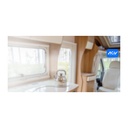
The EZVIZ CB2 4G is a compact smart home battery camera that keeps watch anywhere, with or without Wi-Fi. Built-in 4G, a rechargeable 2,000 mAh battery and a magnetic base let you place it in seconds, whether in a rest house, farm room, shop, storage unit, caravan or apartment. Sharp 2K video, night vision up to 8 m and PIR-triggered recording with smart alerts make sure you see what matters, while two-way talk lets you speak instantly from your phone. Finished in black, it stores clips on a microSD card up to 512 GB or EZVIZ CloudPlay.

Technical Specifications

Image Sensor1/2.8" 3-Megapixel Progressive Scan CMOS Sensor
Minimum Illumination0.01 Lux
Shutter SpeedSelf-adaptive shutter
Lens MountM12
Day & NightIR-cut Filter with Auto Switch
DNR3D DNR
Night VisionUp to 8 m / 26 ft
Max. Resolution2304 × 1296
Frame Rate15 fps. Self-Adaptive during network transmission
Video CompressionH.265 / H.264
Audio Bit RateSelf-Adaptive
Max. Bitrate1.5 Mbps
Smart AlarmSupports
Customized Alert AreaSupports
Two-way TalkSupports
Local StorageSupports microSD card (max. 512 GB)
Cloud StorageSupports EZVIZ CloudPlay storage (subscription required)
Power SupplyDC 5 V / 2 A (purchased separately)
Battery Capacity2000 mAh
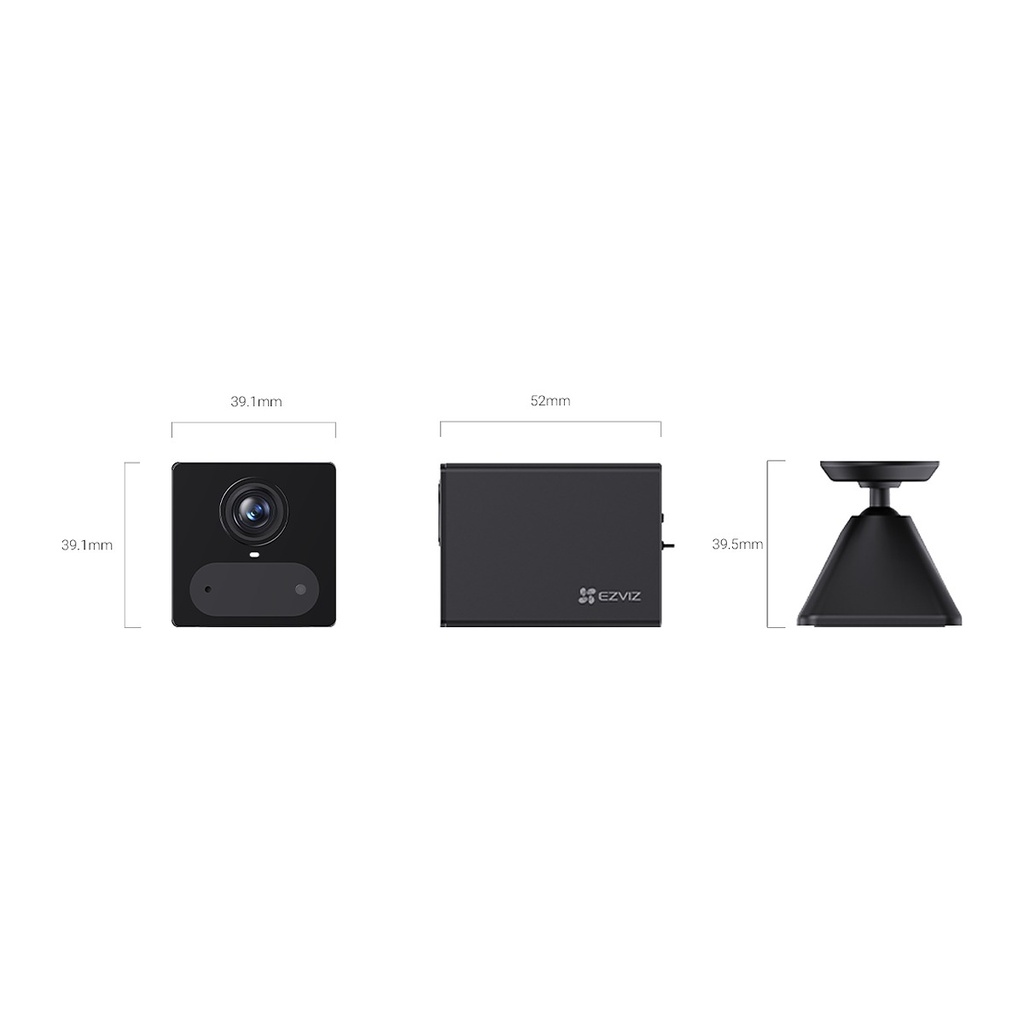
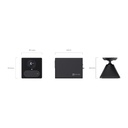
Dimensions52 × 39.1 × 39.1 mm (2.47 ×1.54 × 1.54 inch)
Packaging Dimensions126 × 91× 50 mm (4.96 × 3.58 × 1.97 inch)
In the box- Camera; Magnetic Base; Power Cable; Foam Sticker × 2; Metal Plate (5 mm Hole Diameter); Screw Kit; Regulatory Information × 2; Quick Start Guide
CertificationsCE / REACH / WEEE / RoHS

Source: EZVIZ official website. Specifications are subject to change by the manufacturer.

PRACTICAL ANSWERS

Camera and recording questions

How do I choose a camera for an entrance?

Describe the entrance width, mounting height, distance to the subject and available lighting. Decide whether you need an overview or identifiable detail, then compare the exact lens and image specifications of the proposed model.

Will a new camera work with my existing recorder?

Check the camera and recorder model numbers, connection type, supported video formats and recording limits together. Do not rely on brand names alone; ask for confirmation against both devices’ documentation before ordering.

How much recording storage will I need?

Prepare the number of cameras, desired retention period, recording schedule and proposed image settings. Ask for a storage estimate based on these inputs and an allowance for variation; a disk capacity alone does not guarantee a fixed number of days.

What should I check for outdoor camera installation?

Review the model’s documented environmental rating and operating conditions, then plan sheltered connections, suitable cable routes and a serviceable mounting point. Installation details should be confirmed for the actual location, not inferred from the camera’s appearance.

Can I view the cameras from a phone?

Check which app and remote-access method the model supports, whether an account or subscription is required, and the internet requirements at the site. Plan individual user access and secure account settings rather than sharing an administrator password.

What should be tested when a camera system is handed over?

Review the intended views, playback and export, date and time, user permissions and any agreed remote access. Request the equipment list and configuration handover, and record outstanding issues before accepting the installation.