Skip to Content

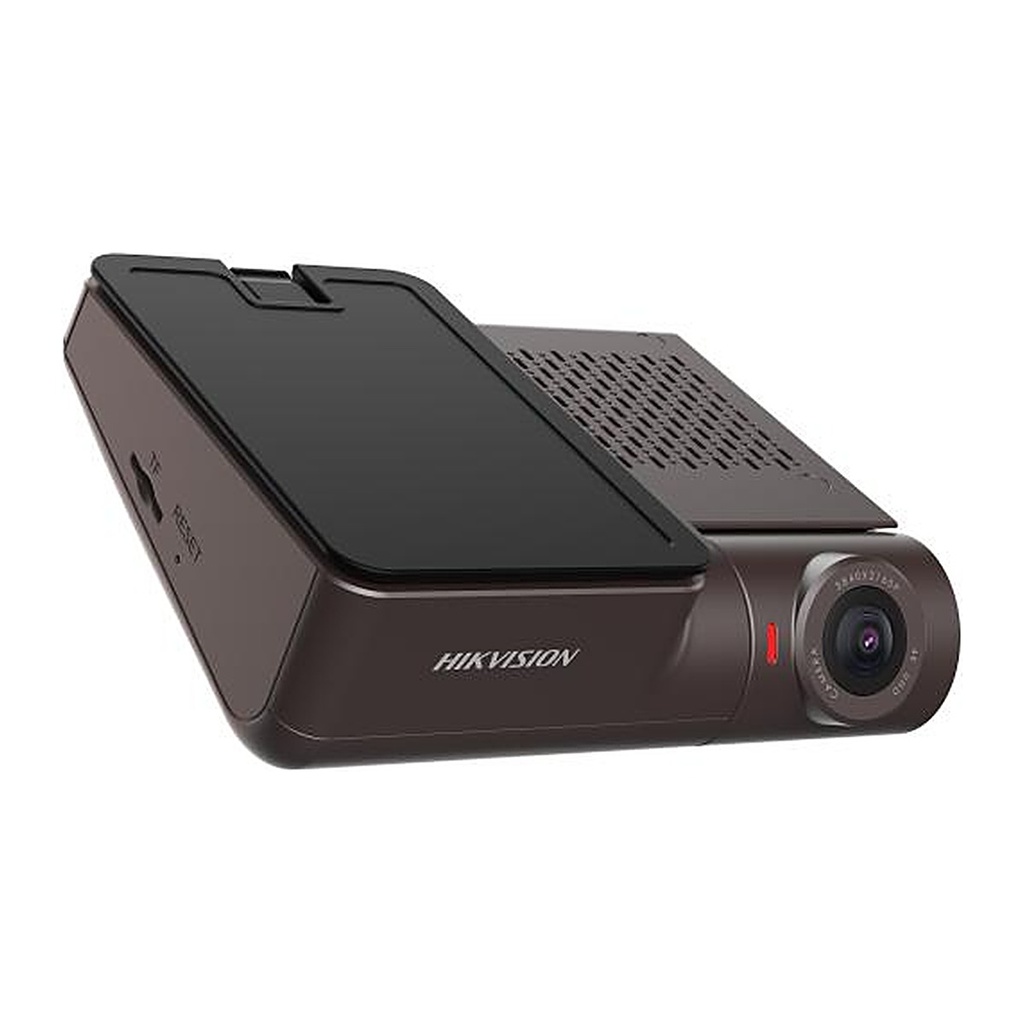
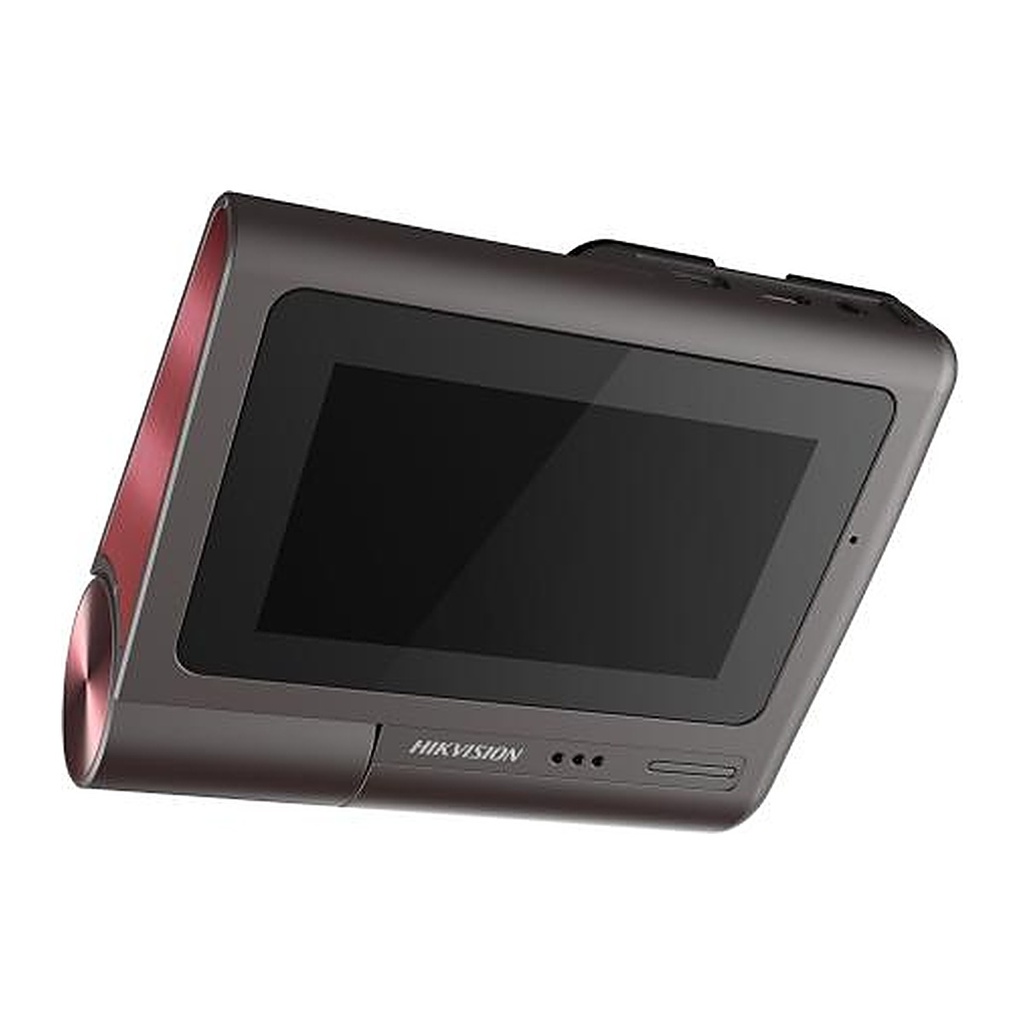
Hikvision AE-DC8322-G2PRO(P) 4K Dual Dash Cam, GPS, 3" Touch Screen, 5G Wi-Fi

  • Up to 2160P high resolution, with horizontal 124°wide angle, diagonal 135°.
  • F1.75 super large aperture offer a perfect night image.
  • Display: 3 inch touch screen, Resolution: 960*480.
  • Support built-in MIC and speaker for audio in and out.
  • Built-in WIFI module and WIFI AP function supported.
  • Built-in G-Sensor module, support video recording linkage at car crash or strong vibration. (Linkage video record can be configured be no-overwritten)
  • Built-in GPS support speed display and route tracking playback
  • TF+eMMC Card for video recording, eMMC: 64GB, TF Card: 32 GB to 256 GB.
  • Phone App: live view, record playback and parameter configuration.
  • Voice recognition supported : Snapshot, Recording on, Recording off.
  • ADAS supported: “Traffic light turn green”, “Speed limit recognition”, “Front car start remind”.
  • Easy installation and user friendly, plug and play. (Automatically recording after power on)
  • Low power consumption and high performance.

Price
⃁ 525.11 ⃁ 525.11 ⃁ 656.39
(Tax excluded)
  • Delivery within 2–5 business days across Saudi Arabia
  • Warranty according to the manufacturer
  • Tax invoice with every order
  • Technical support before and after purchase

Not sure this model fits your setup? Read the buying guide

Overview of Hikvision AE-DC8322-G2PRO(P)

The Hikvision AE-DC8322-G2PRO(P) is a 4K (2160P) dash cam with a Sony IMX415 sensor, F1.75 aperture and a 124° horizontal / 135° diagonal field of view, paired with a rear camera for 2160P + 1080P dual recording. A 3-inch touch screen (960*480), built-in GPS for speed display and route playback, and dual-band 2.4G/5G Wi-Fi with phone app make it a premium choice for executives, fleets and ride-hailing drivers in Saudi Arabia. It supports ADAS alerts, voice commands, HDR, G-Sensor event locking and TF + eMMC storage (eMMC 64 GB, TF 32 GB to 256 GB).

Technical Specifications – Hikvision AE-DC8322-G2PRO(P)

Camera

Image SensorSONY IMX415
Angle Adjustmentadjustable up 35° and down 15°
Power-Off MemoryYES

Lens

Lens TypeG+P
ApertureFront camera: F1.75 Rear camera: F2.0

Wi-Fi

Frequency Range2412-2472MHZ 5725-5875MHZ
Channel Bandwidth20MHZ/40MHZ/80MHZ

Image

Wide Dynamic Range (WDR)NO
Image EnhancementYES
HDRYES

Interface

Built-In MicrophoneYES
Built-In SpeakerYES
Extension InterfaceMini USB(4G)

General

GPSYES
WiFi2.4G/5G
Wi-Fi SupportYES
Resolution2160p@30fps+1080P@25FPS, 1080P@60fps+1080P@25FPS
Max. Resolution2160p@30fps
Video CompressionH.265
FOV135° (D), 124° (H)
Camera Dimension100 mm × 85 mm × 38 mm (3.6ʺ × 3.5ʺ × 2.8ʺ)
Camera Weight150 g (0.33 lb)
Software ResetYES
Online UpgradeYES
Power Consumption And CurrentApprox. 6 W
Power Supply5V DC, 2 A
Power InterfaceMicro
Working Temperature-20 °C to 65 °C (-4 °F to 158 °F)
Working Humidity95%(Max)
StorageeMMC+TF card: eMMC: 64GB, TF Card: 32 GB to 256 GB
Display3 inches (960*480)
OSDDisplay time, date, etc.
Image FormatJPEG
Local StorageYES
ADASYES
Speech RecognitionYES

Source: Hikvision official website. Specifications are subject to change by the manufacturer.

PRACTICAL ANSWERS

Camera and recording questions

How do I choose a camera for an entrance?

Describe the entrance width, mounting height, distance to the subject and available lighting. Decide whether you need an overview or identifiable detail, then compare the exact lens and image specifications of the proposed model.

Will a new camera work with my existing recorder?

Check the camera and recorder model numbers, connection type, supported video formats and recording limits together. Do not rely on brand names alone; ask for confirmation against both devices’ documentation before ordering.

How much recording storage will I need?

Prepare the number of cameras, desired retention period, recording schedule and proposed image settings. Ask for a storage estimate based on these inputs and an allowance for variation; a disk capacity alone does not guarantee a fixed number of days.

What should I check for outdoor camera installation?

Review the model’s documented environmental rating and operating conditions, then plan sheltered connections, suitable cable routes and a serviceable mounting point. Installation details should be confirmed for the actual location, not inferred from the camera’s appearance.

Can I view the cameras from a phone?

Check which app and remote-access method the model supports, whether an account or subscription is required, and the internet requirements at the site. Plan individual user access and secure account settings rather than sharing an administrator password.

What should be tested when a camera system is handed over?

Review the intended views, playback and export, date and time, user permissions and any agreed remote access. Request the equipment list and configuration handover, and record outstanding issues before accepting the installation.