Skip to Content

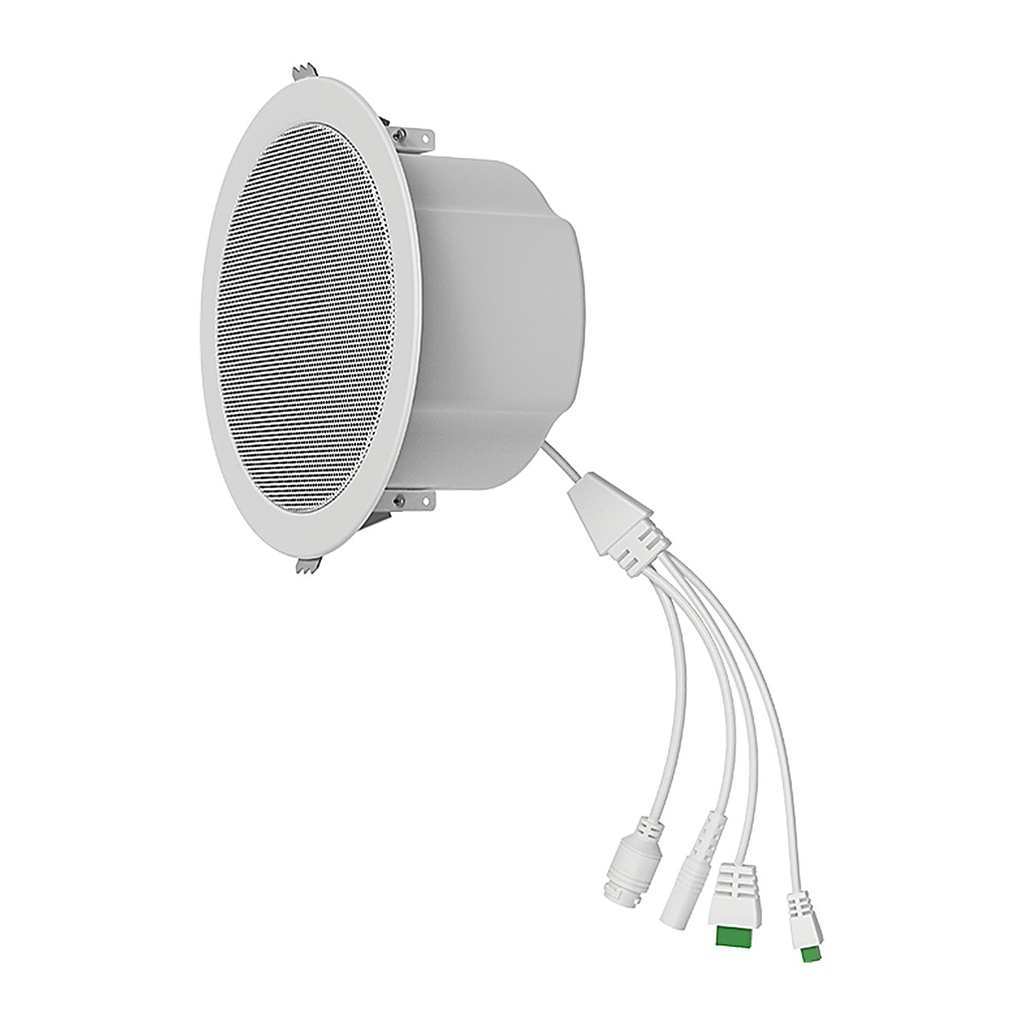
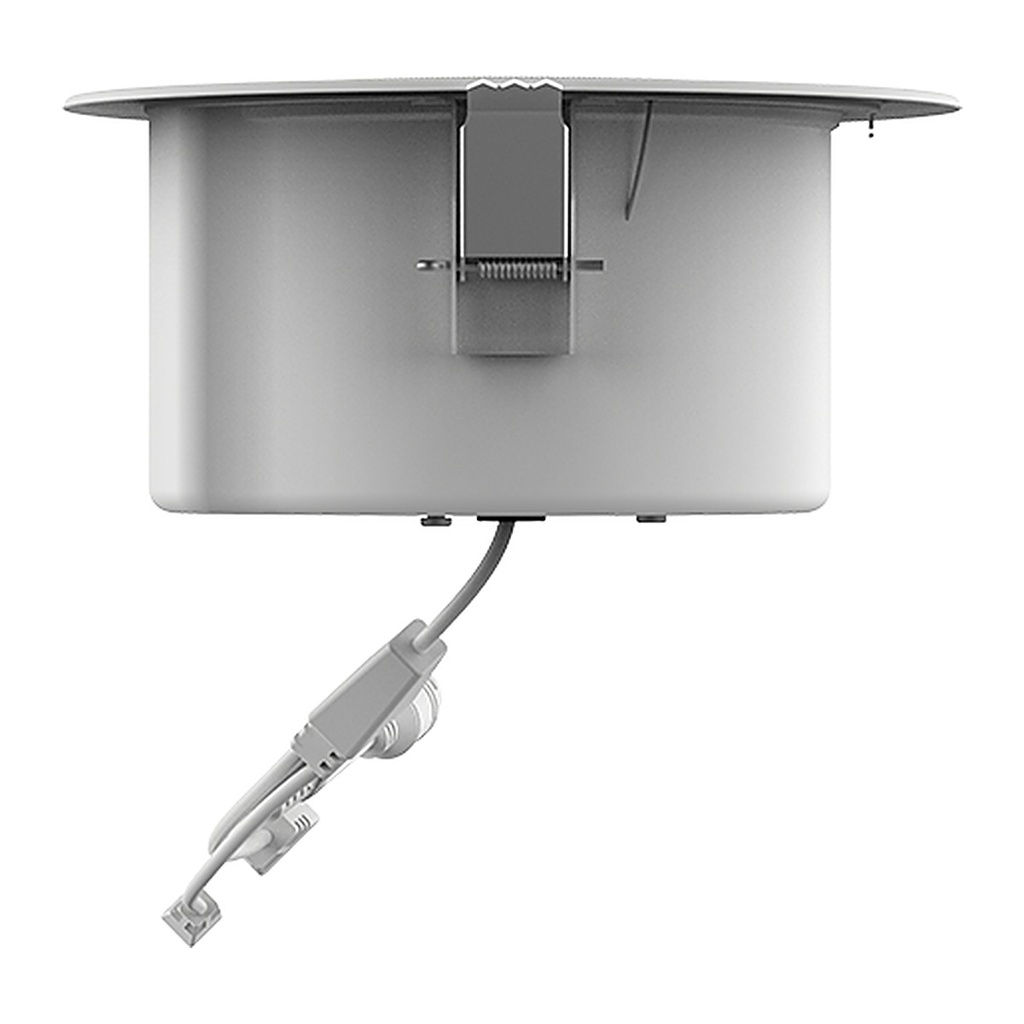
Fanvil A201 SIP Ceiling Speaker, 10W, Built-in Mic, PoE/PoE+, HD Paging

  • Commercial-grade IP ceiling speaker with 8Ω 10W speaker (PoE+ or DC)
  • Built-in omnidirectional microphone for two-way intercom, monitoring and self-test
  • HD voice with G.722 and Opus; lossless MP3/WAV music broadcasting
  • Paging, scheduled, emergency broadcast and 20 multicast zones
  • 24MB built-in storage for scheduled tasks and custom alarm audio
  • 1 short-circuit input and 1 output for linkage with security alarm devices
  • Standard SIP (2 lines), HTTP API and IP camera video linkage for easy integration
  • Managed via Web, DM software, FDMCS and Fanvil broadcast intercom app
Price
⃁ 534.67 ⃁ 534.67 ⃁ 668.34
(Tax excluded)
  • Delivery within 2–5 business days across Saudi Arabia
  • Warranty according to the manufacturer
  • Tax invoice with every order
  • Technical support before and after purchase

Not sure this model fits your setup? Read the buying guide

Overview of Fanvil A201

The Fanvil A201 is a commercial-grade SIP ceiling speaker that works as a standalone audio system or integrates with unified communications, video surveillance, access control, digital signage, fire alarm systems and the Fanvil broadcast & intercom system. Ideal for offices, malls, schools, hospitals, hotels and other indoor spaces, it combines paging, scheduled and emergency broadcasting, two-way intercom and monitoring in one unit. A 10W speaker, built-in microphone, HD voice and lossless MP3/WAV playback deliver clear sound, while 24MB storage, short-circuit I/O, HTTP API and PoE/PoE+ power make deployment and integration simple.

Technical Specifications

General

TypeSIP ceiling speaker
SIP Lines2
InstallationCeiling-mounted
Multicast Zones20
Audio Storage24MB
ProtocolsSIP / ONVIF
IntegrationHTTP API, Action URL, IP camera linkage

Speaker

Speaker8Ω, 10W
Frequency Response250 Hz~20 kHz
Sensitivity90±3 dB (1m/1W)
Max SPL100 dB
Output PowerPoE 6W / PoE+ 10W / DC 10W

Microphone

TypeBuilt-in omnidirectional
Sensitivity-38±3 dB

Audio

CodecsG.711A/U, G.729A/B, iLBC, G.723, G.726-32K, G.722, Opus
Broadcast FormatsMP3, WAV
DTMFIn-band, RFC2833, SIP INFO

Network

Ethernet1 × RJ45, 10/100 Mbps
IP ModeIPv4 / IPv6 / Dual stack
IP SettingStatic / DHCP / PPPoE
VPNL2TP / OpenVPN
Network FeaturesVLAN, LLDP, QoS
ProtocolsSIP 2.0 over UDP/TCP/TLS, SRTP, STUN, TR-069
ProvisioningFTP/TFTP/HTTP/HTTPS, DHCP Opt66, SIP PnP, TR-069

Interfaces

Short-circuit Input1
Short-circuit Output1 (max 30V/2A)
Audio Line In/OutNo

Power

Power SupplyPoE / PoE+ or DC 12~24V/2A

Physical

ColorWhite
DimensionsΦ200 × 90 mm
Weight0.884 kg

Environment

Operating Temperature-25°C~55°C
Storage Temperature-30°C~60°C
Humidity10~95%

Source: Fanvil official website and datasheet. Specifications are subject to change by the manufacturer.

PRACTICAL ANSWERS

Network planning questions

Should I choose a router, a switch or an access point?

Start with the task: connecting networks, adding wired device ports, or providing wireless coverage. A single installation may need more than one device type. Share a site diagram and device list so the proposed roles and connections are clear.

Why is wireless coverage weak in some rooms?

Check the access point location, building layout, obstacles and the number of active devices. Measure coverage where people actually work before choosing extra equipment; changing the internet package alone may not address a coverage problem.

How do I select a switch for powered network devices?

List the devices to be connected and check each device’s power requirements against the switch’s per-port capability and total documented power budget. Also review uplink capacity and reserve ports for the expansion you actually expect.

Can the guest network be separated from business devices?

Define which devices and services guests should be able to reach, then check whether the router, switch and access points support the required separation. Test the resulting access rules; a different wireless network name alone is not the acceptance test.

What information helps plan a network upgrade?

Provide floor plans, current equipment models, internet connections, cabling details and peak device counts. Describe the applications that matter most and the observed problem, such as disconnections or slow local file access.

How should network performance be checked after installation?

Agree on the locations and representative workloads to test, then record wired and wireless results separately. Check connectivity, coverage and access rules during normal use, and retain a diagram and configuration backup for support.