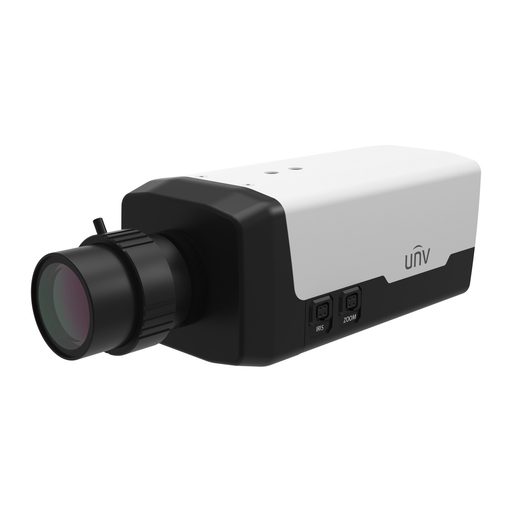
| Sensor | 1/2.8" CMOS |
|---|
| Min. Illumination | Color: 0.003 Lux (F1.5, AGC ON), 0 Lux with IR |
|---|
| Day/Night | IR-cut filter with auto switch (ICR) |
|---|
| Shutter | Auto/Manual, 1 to 1/100000 s |
|---|
| WDR | 120 dB |
|---|
| S/N | >56 dB |
|---|
| Focal Length | 4.5 to 148.5 mm |
|---|
| Optical Zoom | 33X |
|---|
| Digital Zoom | 16X |
|---|
| Iris | F1.5 to F4.0 |
|---|
| Field of View (H) | 51.4° to 2.5° |
|---|
| Field of View (V) | 30.3° to 1.4° |
|---|
| Field of View (D) | 63.2° to 3.0° |
|---|
| DORI Distance (Detect) | 105.8 m to 3172.5 m (346.9 ft. to 10408.5 ft.) |
|---|
| DORI Distance (Observe) | 42.3 m to 1269.0 m (138.8 ft. to 4163.4 ft.) |
|---|
| DORI Distance (Recognize) | 21.2 m to 634.5 m (69.4 ft. to 2081.7 ft.) |
|---|
| DORI Distance (Identify) | 10.6 m to 317.3 m (34.8 ft. to 1041.0 ft.) |
|---|
| Video Compression | Ultra 265, H.265, H.264, MJPEG |
|---|
| Frame Rate | Main Stream: 4 MP (2688 × 1520), max. 30 fps Sub Stream: 1080P (1920 × 1080), max. 30 fps Third Stream: D1 (720 × 576), max. 30 fps |
|---|
| Video Bit Rate | 128 Kbps to 16 Mbps |
|---|
| ROI | Support |
|---|
| Video Stream | Triple streams |
|---|
| Privacy Mask | 24 areas, up to 4 areas per scene |
|---|
| Basic Detection | Motion detection, Tampering alarm, Audio detection, Object removed, Object Left Behind |
|---|
| Audio Compression | G.711U, G.711A |
|---|
| Two-way Audio | Support |
|---|
| Edge Storage | MicroSD, up to 512 GB |
|---|
| Network Storage | ANR, NAS (NFS) |
|---|
| Protocols | SSH, IGMP, RTP, RTCP, SMTP, IPv4, IPv6, ICMP, ARP, TCP, UDP, DHCP, PPPoE, RTSP, RTMP, DNS, DDNS, NTP, FTP, UPnP, HTTP, HTTPS, 802.1x, SNMP, QoS, SSL/TLS |
|---|
| Compatible Integration | ONVIF (Profile S, Profile G, Profile T, Profile M), API, SDK |
|---|
| Web Browser | Plug-in required live view: IE 10+, Chrome 45+, Firefox 52+, Edge 79+ |
|---|
| Exception Detection | Object removed, Object Left Behind |
|---|
| Smart Intrusion Prevention | Cross line detection, intrusion detection, enter area detection, leave area detection (support false alarm filtering and the classification of human, non-motor vehicle and vehicle) |
|---|
| People Counting | Support people flow counting and crowd density detection |
|---|
| Number of Presets | 1024 |
|---|
| Preset Patrol | 16 patrols, up to 64 presets for each patrol |
|---|
| Pan Range | 360° (endless) |
|---|
| Pan Speed | 0.1°/s to 200°/s |
|---|
| Tilt Range | -15° to 90° (auto reverse) |
|---|
| Tilt Speed | 0.1°/s to 200°/s |
|---|
| White Balance | Auto, Outdoor, Fine tune, Sodium lamp, Locked, Auto2 |
|---|
| Digital Noise Reduction | 2D/3D DNR |
|---|
| HLC | Support |
|---|
| BLC | Support |
|---|
| Smart IR | Support |
|---|