Skip to Content
  • Delivery in 4–10 working days across Saudi Arabia
  • A tax invoice with every order
  • Technical support before and after you buy

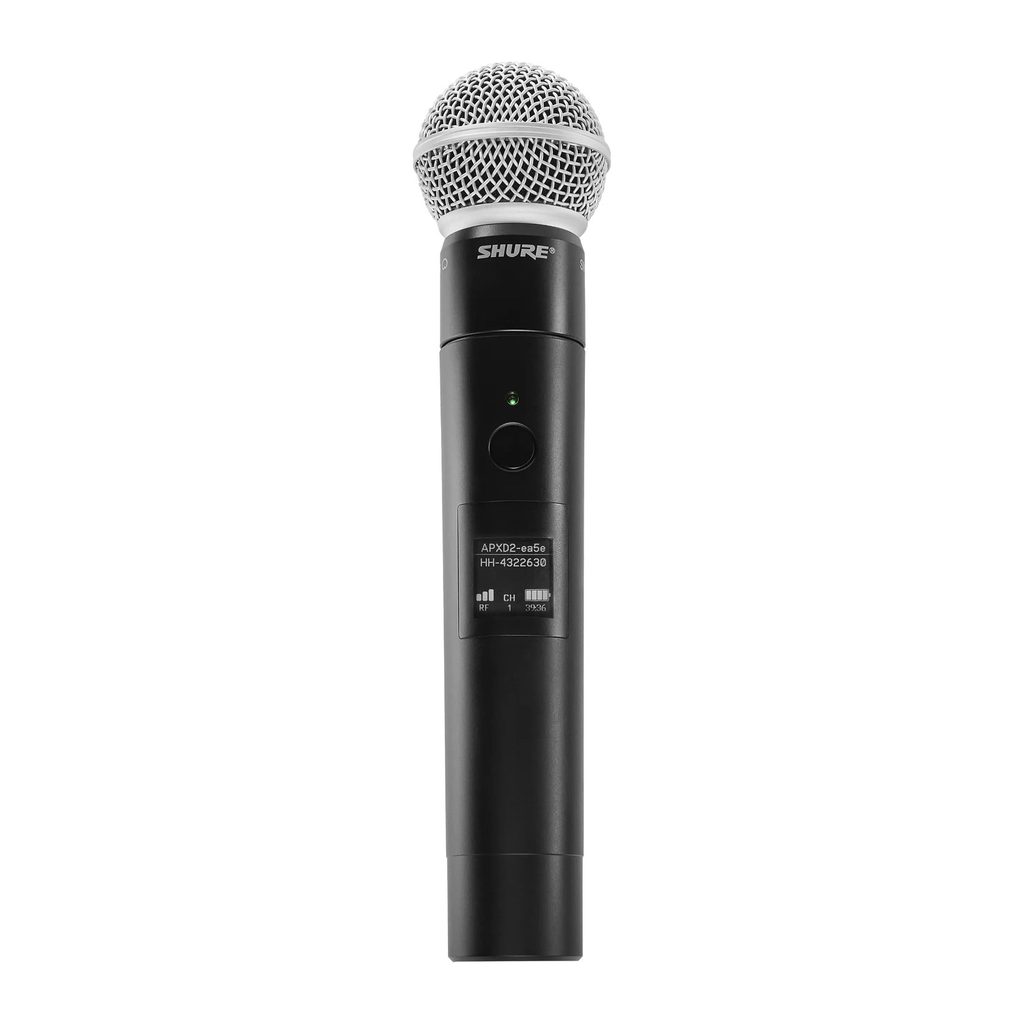
Shure MXW2X/SM58=-Z11 Wireless Handheld Microphone with SM58 Capsule, for MXW neXt

Part number MXW2X/SM58=-Z11
  • Rechargeable handheld transmitter with the SM58 cardioid dynamic capsule, for Shure MXW neXt systems
  • Cardioid pickup pattern reduces feedback and room noise
  • Dual transmit antennas keep the range stable whatever the hand position
  • Programmable mute button (push-to-talk, push-to-mute or on/off); remote mute from the room control system
  • Includes the SB908 lithium-ion battery; charges in 7 hours from empty in the MXWAPXD2 (4 hours in NDX docking stations)
  • Information screen and out-of-range alert; always-on AES-256 encryption
Price
⃁ 2,976.87 ⃁ 2,976.87
⃁ 2,976.87
(Tax excluded)
  • Delivery within 4–10 business days across Saudi Arabia
  • Warranty according to the manufacturer
  • Tax invoice with every order
  • Technical support before and after purchase

Not sure this model fits your setup? Read the buying guide
Technical Specifications – MXW2X/SM58=-Z11

TypeHandheld transmitter
CapsuleSM58 cardioid dynamic
BatteryShure SB908 rechargeable Li-ion (included)
Charge time from empty7 hours in MXWAPXD2; 4 hours in NDX2/4/8
RF bandZ11: 1880-1900 MHz
Dimensions228.5 x 51 x 51 mm
Weight380 g with battery

Source: Shure official website and user guides. Specifications are subject to change by the manufacturer.

PRACTICAL ANSWERS

IP phone questions

How do I choose an IP phone for an employee?

Start with the person’s daily call workflow, required keys, headset use and desk connectivity. Check the exact model against the PBX and provisioning method rather than selecting only by screen size or appearance.

Does an IP phone need a separate power adapter?

Check the phone’s supported power options, what is included in the package and the capabilities of the connected switch. Confirm that the complete proposed arrangement can power every phone, not just a single test device.

Will my headset work with the new phone?

Compare the headset and phone model numbers, connector type and any required adapter or call-control support. Ask to test answering, ending and muting a call with the intended combination before equipping a team.

Can a phone be used by a remote employee?

Confirm the PBX’s supported remote deployment method and the employee’s network requirements. Plan secure provisioning and support responsibilities; do not expose administration interfaces or assume a phone can be moved without configuration.

How should I compare phone models for a reception desk?

List the extensions the receptionist handles, the required transfer workflow and any need for expansion keys or a headset. Evaluate the full workflow with the PBX, including the features actually licensed and supported.

What should I check before deploying many IP phones?

Test a small representative group first, then review network ports, power, provisioning, user labels and the rollback plan. Keep an inventory linking each physical device to its intended user or location.