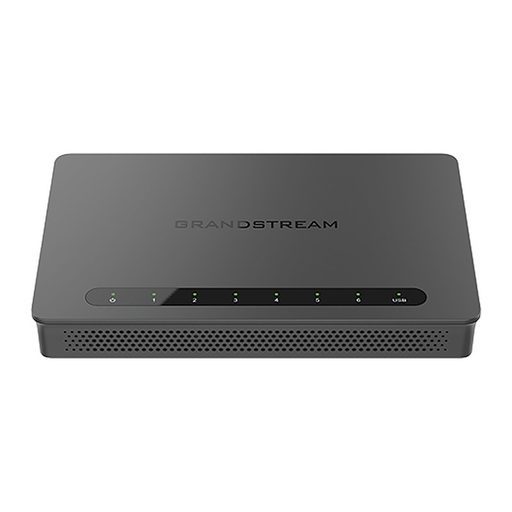
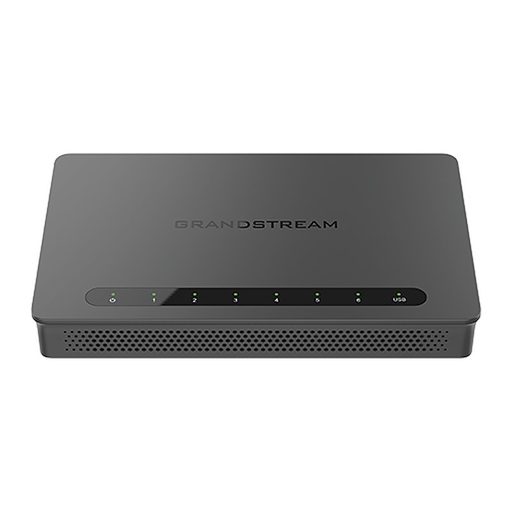
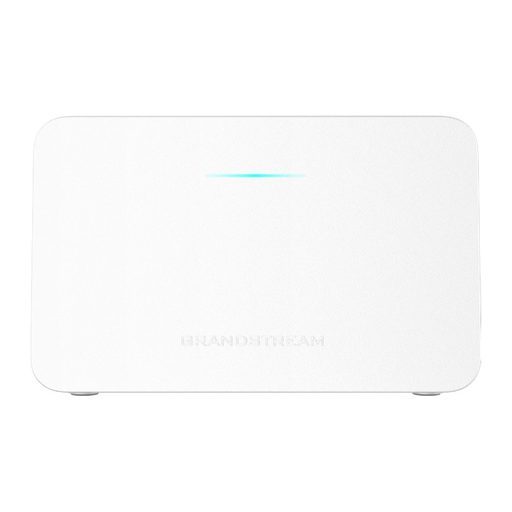
Overview of Grandstream GWN7062E
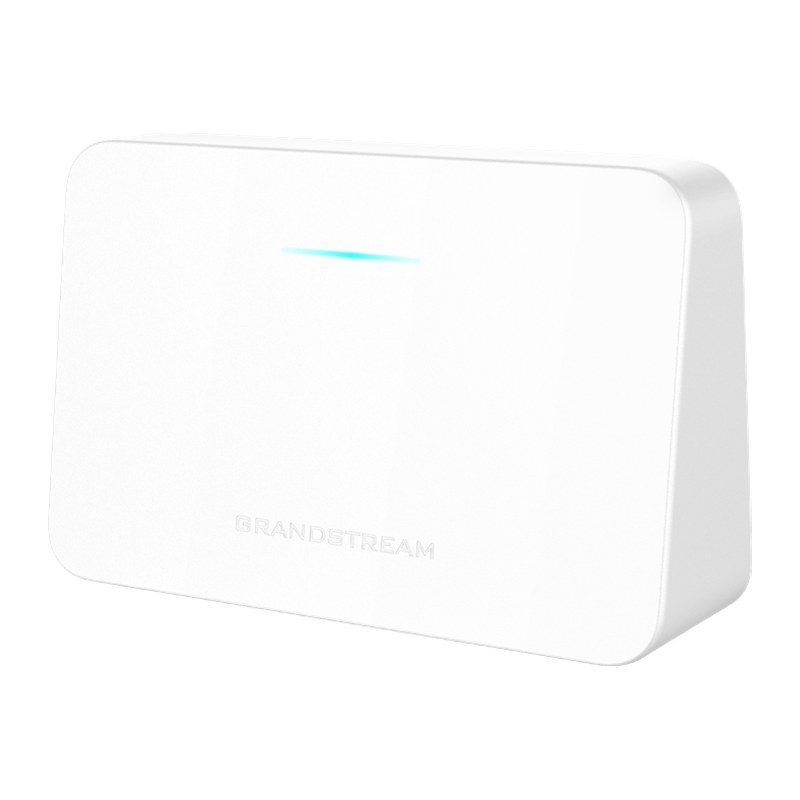
The Grandstream GWN7062E is a secure dual-band AX3000 router powered by Wi-Fi 6 (802.11ax). Ideal for SOHO and remote work, it delivers 2.4 GHz 2x2:2 and 5 GHz 3x3:2 MU-MIMO with XTRA Range technology and beamforming, and a 1.3 GHz dual-core processor providing Wi-Fi speeds up to 3 Gbps for up to 128 devices. It supports seamless mesh with up to 16 nodes, built-in VPN, dual WAN failover, parental controls, guest networks and DPI-based traffic statistics. Managed via the local web UI, GDMS, GWN Manager, the GWN app or the Grandstream Home app, it suits homes, villas, small offices and shops.
Technical Specifications – Grandstream GWN7062E
Hardware & Interfaces
| Processor | 1.3 GHz dual-core processor |
|---|
Wi-Fi / Radio
| Antennas | 1 x 5 GHz: maximum gain 3.4 dBi; 2 x 2.4 GHz & 5 GHz: maximum gain 4.7 dBi for 2.4 GHz, 4.3 dBi for 5 GHz |
|---|
| MU-MIMO | 2.4 GHz: 2×2:2; 5 GHz: 3×3:2 |
|---|
| Frequency Bands | 2.4 GHz radio: 2,400–2,483.5 MHz; 5 GHz radio: 5,150–5,895 MHz (not all frequency bands can be used in all regions) |
|---|
| Channel Bandwidth | HT20/40, VHT20/40/80, HE20/40/80/160 |
|---|
| Wi-Fi Data Rates | 5 GHz: 802.11ax 7.3 to 2,402 Mbps; 802.11ac 6.5 to 1,732 Mbps; 802.11n 6.5 to 300 Mbps; 802.11a 6-54 Mbps. 2.4 GHz: 802.11ax 7.3 to 573.5 Mbps; 802.11n 6.5 to 300 Mbps; 802.11b 1-11 Mbps; 802.11g 6-54 Mbps |
|---|
| Maximum TX Power | 2.4 GHz: 24 dBm; 5 GHz: 26 dBm (maximum power varies by country, frequency band and MCS rate) |
|---|
| Receiver Sensitivity | 2.4 GHz: 802.11b -96 dBm@1 Mbps, -88 dBm@11 Mbps; 802.11g -93 dBm@6 Mbps, -75 dBm@54 Mbps; 802.11n 20 MHz -73 dBm@MCS7, 40 MHz -70 dBm@MCS7; 802.11ax 20 MHz -60 dBm@MCS11, 40 MHz -58 dBm@MCS11. 5 GHz: 802.11a -92 dBm@6 Mbps, -74 dBm@54 Mbps; 802.11n 20 MHz -73 dBm@MCS7, 40 MHz -70 dBm@MCS7; 802.11ac 20 MHz -67 dBm@MCS8, 40 MHz -63 dBm@MCS9, 80 MHz -59 dBm@MCS9; 802.11ax 20 MHz -60 dBm@MCS11, 40 MHz -58 dBm@MCS11, 80 MHz -56 dBm@MCS11, 160 MHz -52 dBm@MCS11 |
|---|
| Coverage Range | Up to 120 m² (1,291.67 ft²); coverage range may vary based on environment |
|---|
Hardware & Interfaces
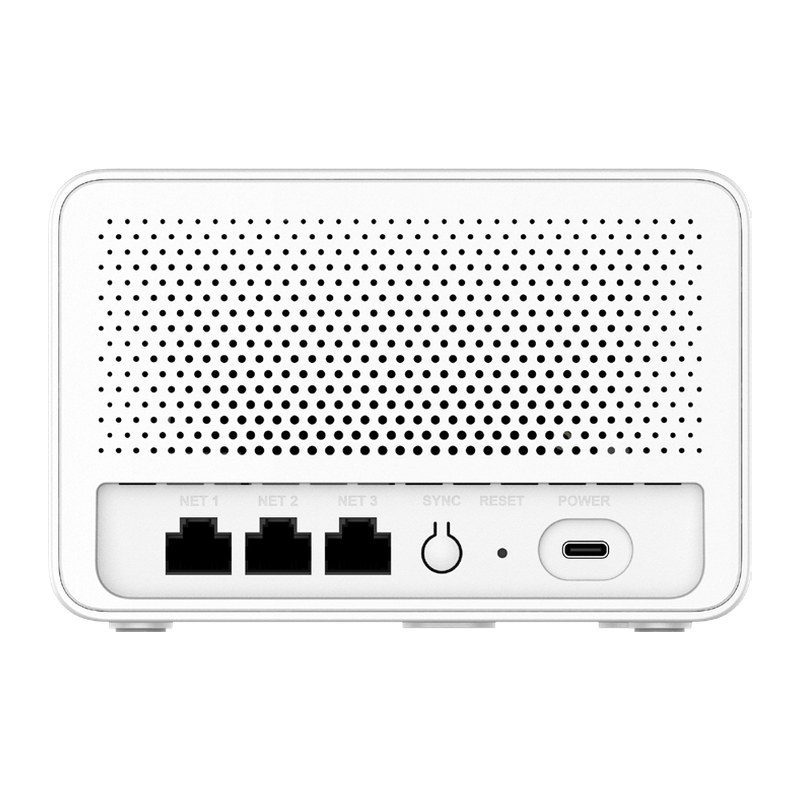
| Network Ports | 3 x auto-sensing 10/100/1,000 Mbps Ethernet WAN/LAN, RJ-45 |
|---|
| Other Interfaces | 1 x Reset pinhole, 1 x SYNC button, 1 x Power port (USB-C) |
|---|
| System LED | 1 tri-color LED |
|---|
Power & Physical
| Maximum Power Consumption | USB Type-C power adapter included: Input 100–240 V, 50/60 Hz; Output 5 V/3 A (15 W) |
|---|
| Dimensions | Unit: 140 mm x 46 mm x 90 mm (L x W x H); Package: 176.5 mm x 170 mm x 72 mm |
|---|
| Weight | Unit: 185 g (0.41 lb); Entire package: 465 g (1.03 lb) |
|---|
| Mounting | Desktop or indoor wall mount |
|---|
| Package Content | GWN7062E router, power adapter, Ethernet cable, Quick Installation Guide |
|---|
| Environmental | Operating Temperature: 0 °C to 40 °C (32 °F to 104 °F); Storage Temperature: -20 °C to 60 °C (-4 °F to 140 °F); Humidity: 10%–90% (RH), non-condensing |
|---|
Compliance
| Compliance | FCC, CE, RCM, IC |
|---|
Wi-Fi / Radio
| Wi-Fi Standards | IEEE 802.11 a/b/g/n/ac/ax |
|---|
| SSIDs | 4 host SSIDs + 1 guest SSID; Open/Personal/Enterprise security mode; SSID hiding; dynamically assigns radio power and channel |
|---|
Security & VPN
| Encryption | WPA3-192, WPA3, WPA2/WPA3, WPA2, WPA/WPA2; anti-hack security boot and critical data/control lockdown via digital signatures; unique security certificate and random default password per device |
|---|
Wi-Fi / Radio
| Concurrent Wireless Clients | Up to 128 clients |
|---|
Networking
| Working Mode | Router Mode, Wireless Bridge Mode, Wireless Relay Mode |
|---|
| Mesh | Supports mesh networking with up to 16 nodes (compatible with GWN7062E, GWN7062ET, GWN7062M, and GWN7660EM) |
|---|
| WAN | Internet connection type: Static IP/DHCP/PPPoE/PPTP/L2TP; supports Dual WAN and Failover/Load Balance policy; built-in multiple DNS resolution services |
|---|
| LAN | DHCP Server; manually bind IP address; supports IGMP |
|---|
| ISP | Supports IPTV/VoIP/Triple Play; supports customized settings for WAN-side VLAN |
|---|
Security & VPN
| VPN | Supports up to 1 VPN tunnel in total: L2TP Client, PPTP Client, IPSec Site-to-Site & Client-to-Site, OpenVPN Server, WireGuard Site-to-Site & Client-to-Site |
|---|
| Parental Control | Up to 32 parental control clients; customized Internet schedule; website filtering/app filtering/URL blocklist; multi-dimensional Internet usage analysis |
|---|
Networking
| QoS | Supports 8 queues with multiple traffic priority and bandwidth; App QoS; QoS rules |
|---|
| Traffic Statistics | Application monitoring and traffic statistics with DPI; analysis period: daily, weekly, monthly |
|---|
Security & VPN
| Firewall | DoS attack defense; blocklist |
|---|
Networking
| NAT | DDNS, Port Forwarding, DMZ, UPnP |
|---|
Security & VPN
| Content Control | Safe Search, URL Filtering, URL Classification, App Filtering |
|---|
| Access Control | Supports multiple users; supports custom permission templates; supports configuring WAN-side access status and authorized IP addresses |
|---|
| Captive Portal | Supports social login, vouchers, and password authentication |
|---|
Management
| Maintenance | Configuration backup and restore, diagnosis tools, feedback system, intelligence detection, auto firmware update |
|---|
| Management Platform | Local web UI provides device and mesh node management; GDMS (Networking) free cloud management platform for unlimited GWN routers; GWN Manager premise-based software controller; GWN app; Grandstream Home app; TR-069 |
|---|
Source: Grandstream official website and datasheet. Specifications are subject to change by the manufacturer.