Skip to Content
  • Delivery in 4–10 working days across Saudi Arabia
  • A tax invoice with every order
  • Technical support before and after you buy

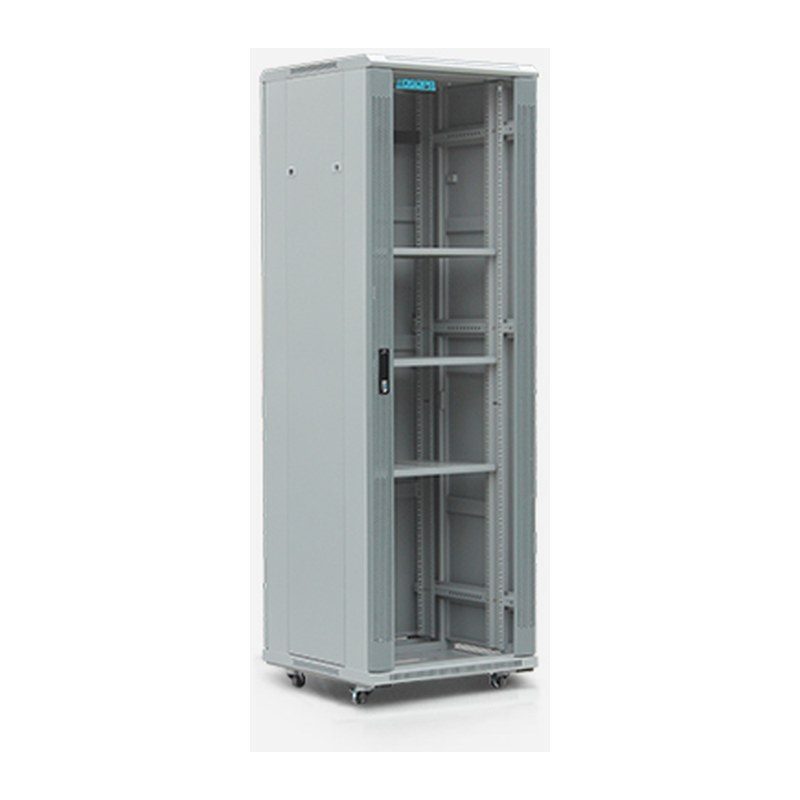
DSPPA MP35UR 35U 19" Floor Stand Audio Rack with Electric Fan

Part number MP35UR
  • 19-inch standard design complying with international standards
  • 35U interior space, external dimensions 1800×600×600 mm
  • 1.0 mm high-quality steel, plastic coated and rust-proof
  • Tempered explosion-proof glass door
  • Openable rear and side doors for convenient checking
  • Electric fan for ventilation
Price
⃁ 2,144.64 ⃁ 2,144.64
⃁ 2,144.64
(Tax excluded)
  • Delivery within 4–10 business days across Saudi Arabia
  • Warranty according to the manufacturer
  • Tax invoice with every order
  • Technical support before and after purchase

Not sure this model fits your setup? Read the buying guide
Technical specifications – MP35UR

Specifications

TypeFloor
Interior Space35U
External Dimension1800x600x600mm
Weight68.8Kg

Identification

ModelMP35UR

Source: DSPPA official website (dsppacs.com). Specifications are subject to change by the manufacturer.

PRACTICAL ANSWERS

Network planning questions

Should I choose a router, a switch or an access point?

Start with the task: connecting networks, adding wired device ports, or providing wireless coverage. A single installation may need more than one device type. Share a site diagram and device list so the proposed roles and connections are clear.

Why is wireless coverage weak in some rooms?

Check the access point location, building layout, obstacles and the number of active devices. Measure coverage where people actually work before choosing extra equipment; changing the internet package alone may not address a coverage problem.

How do I select a switch for powered network devices?

List the devices to be connected and check each device’s power requirements against the switch’s per-port capability and total documented power budget. Also review uplink capacity and reserve ports for the expansion you actually expect.

Can the guest network be separated from business devices?

Define which devices and services guests should be able to reach, then check whether the router, switch and access points support the required separation. Test the resulting access rules; a different wireless network name alone is not the acceptance test.

What information helps plan a network upgrade?

Provide floor plans, current equipment models, internet connections, cabling details and peak device counts. Describe the applications that matter most and the observed problem, such as disconnections or slow local file access.

How should network performance be checked after installation?

Agree on the locations and representative workloads to test, then record wired and wireless results separately. Check connectivity, coverage and access rules during normal use, and retain a diagram and configuration backup for support.